The End of No-Shows: How a ‘Calendar Guarantee’ Replaces the RSVP Form
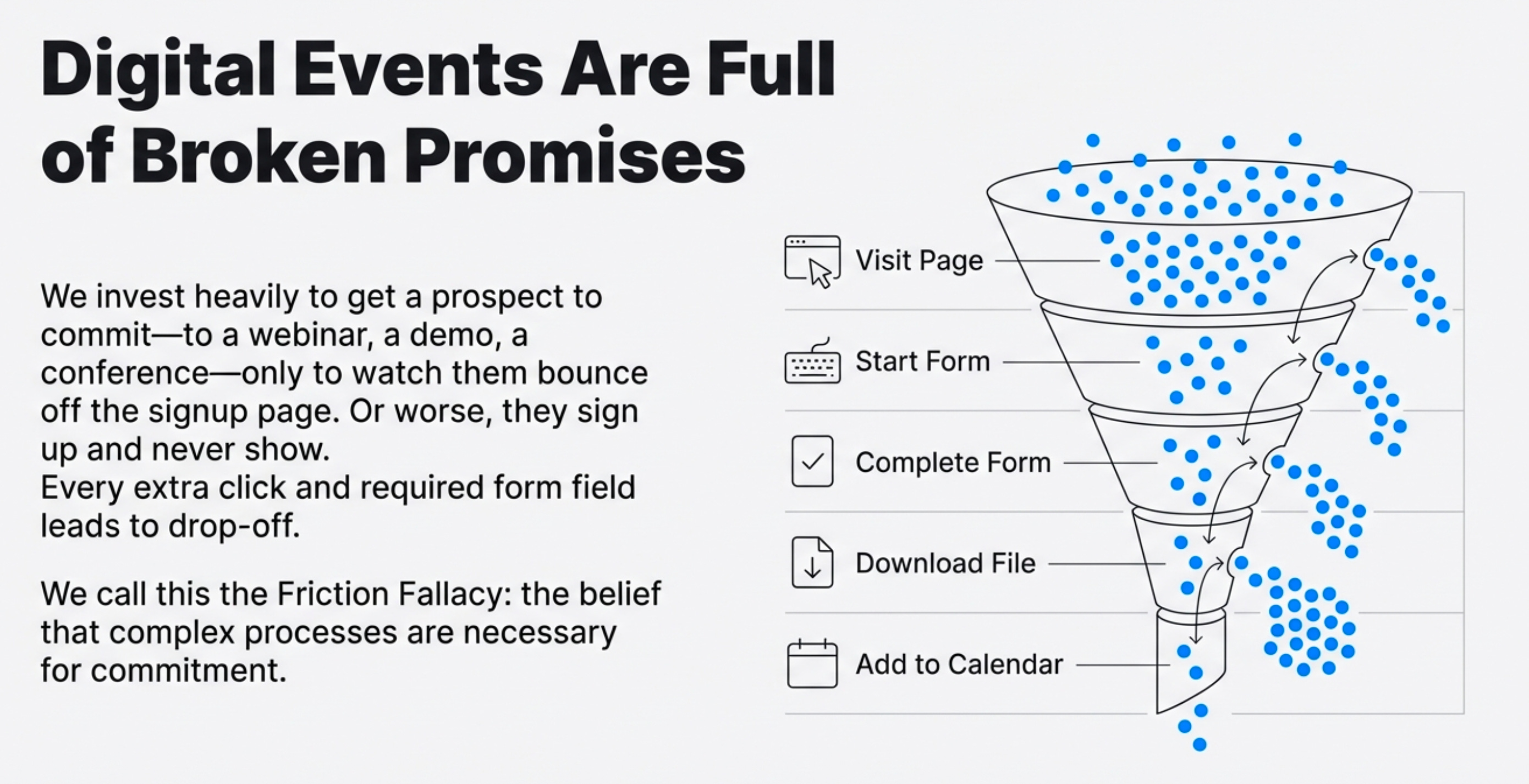
If you work in marketing, sales, or event logistics, you know the frustration. You invest heavily to get a prospect to sign up for a webinar or a product demo, only to watch them abandon the form or, worse, sign up and never show up. This is the world of “digital broken promises.”
The core challenge for any organizer is simple: get the event firmly secured on the customer’s calendar. Yet, traditional methods create immediate friction. Mandatory RSVP forms with endless fields and the confusing process of downloading and opening .ics files lead to drop-offs. But a radical simplification exists—one that solves this problem by leveraging the powerful tools we already use every day.
1. The Most Powerful Event Platform Is Already on Your Desktop
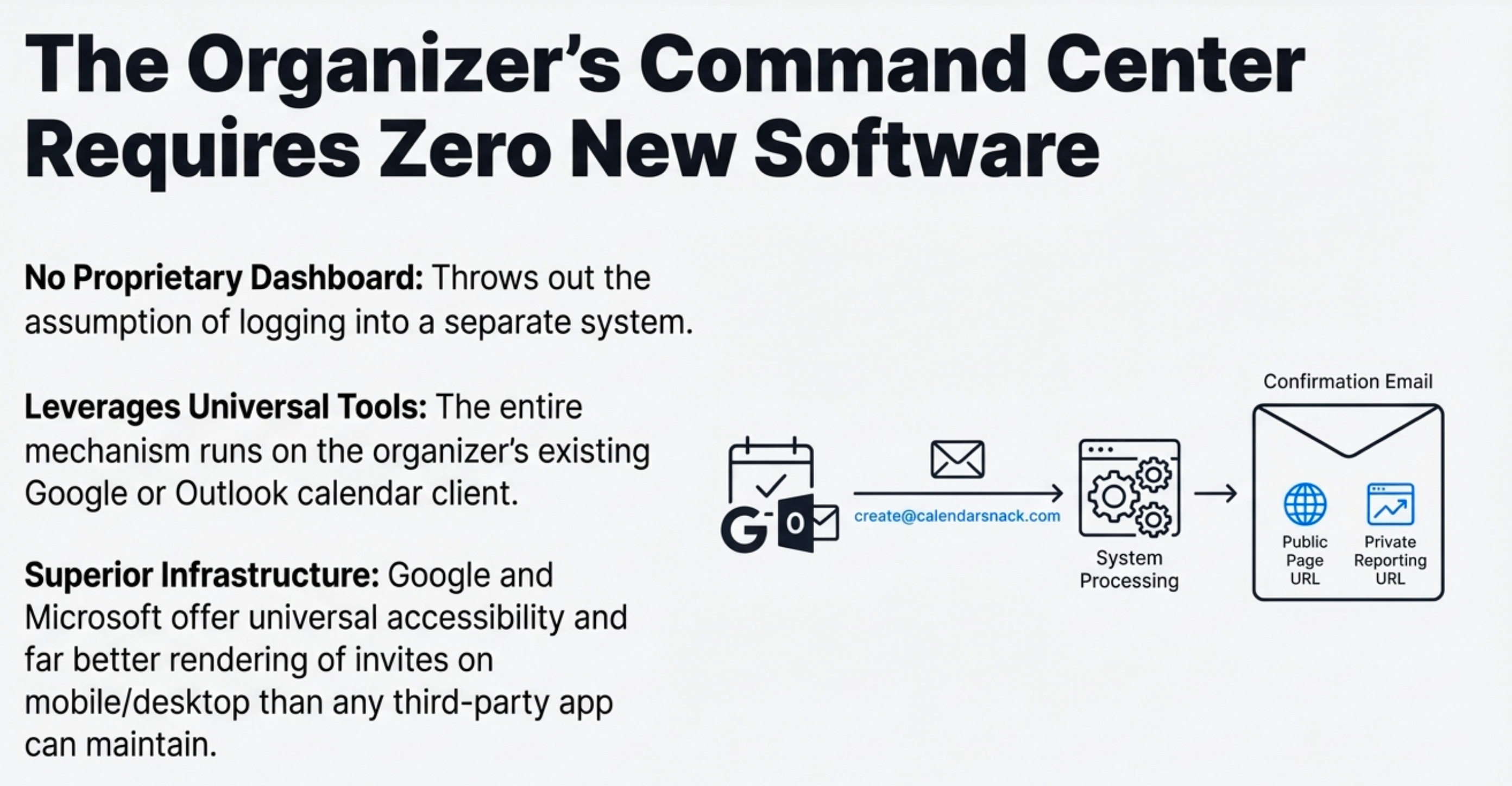
The breakthrough insight is that the best solution doesn’t require new, proprietary software. Instead, it leverages the existing, universally adopted infrastructure of Google and Outlook calendar clients.
This is a critical design choice. Google and Microsoft provide universal accessibility and offer far superior rendering and feature support for mobile and desktop invites than any third-party app could hope to build or maintain.
This approach eliminates the need for organizers to learn a new system or remember another password. It operates on a principle of pure efficiency.
Why build a whole bespoke complex event management system when you know superior features already exist in platforms that are universally adopted.
2. You Can Manage 500 Events Without Ever Logging In
The workflow for an event organizer is surprisingly simple and requires zero web skills. There is no portal to log into. To create a public event, the organizer creates an event in their standard Google or Outlook calendar and invites a single, specific processing email address: create@calendarnack.com.
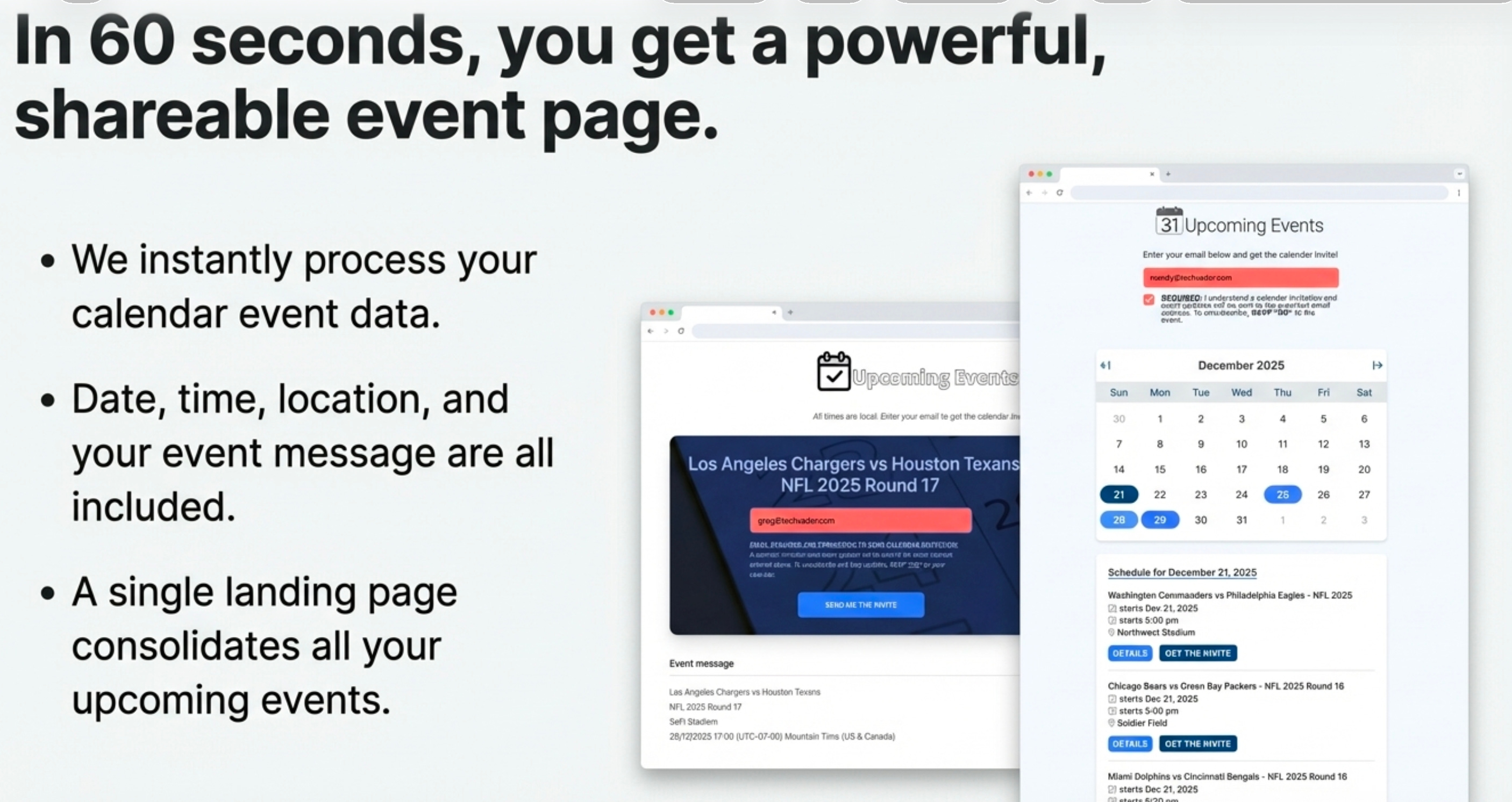
The system automatically pulls all event details: the date, time, location, the full message body—including images and descriptions—and any integrated meeting links like Google Meet or Outlook Meet.
In about 60 seconds, the organizer receives a confirmation email containing a single sharable event page URL and a private, login-free reporting page. This simple method can be used to manage and display up to 500 events from a single calendar client.
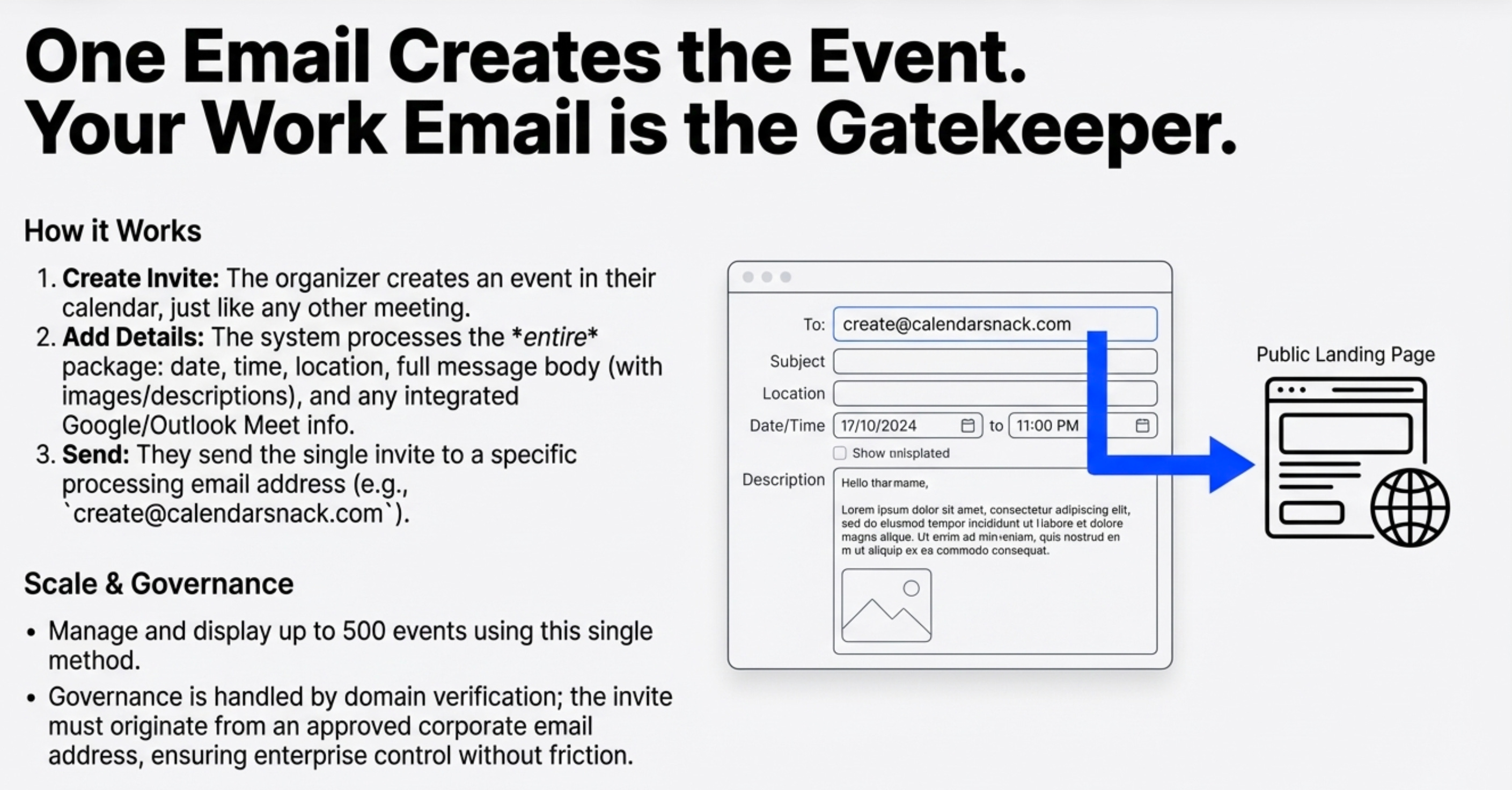
For an enterprise, this frictionless creation is balanced with necessary corporate oversight. The system relies on domain verification, meaning the initial calendar invite must originate from an approved corporate email address. This ensures that while individual organizers can move with speed and volume, they are operating within known, verifiable parameters tied to their professional identity, preventing chaos and ensuring brand consistency.
3. Customers Get a Guaranteed Invite, Not a File to Download
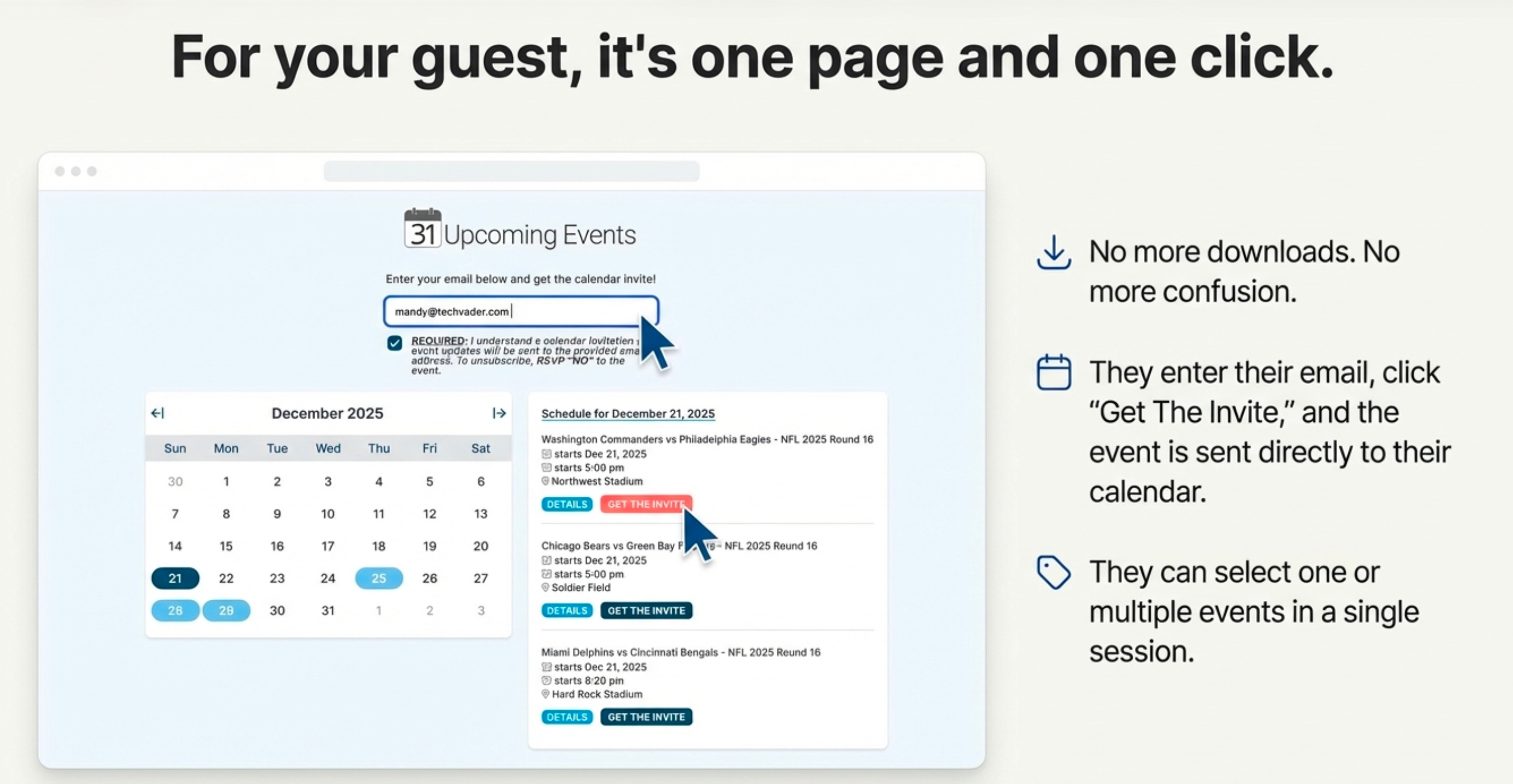
This backend efficiency translates directly into a frictionless customer experience. Instead of a frustrating, multi-step RSVP form, the customer visits a clean, shareable landing page. The page might feature a calendar view highlighting scheduled event dates—for instance, throughout December 2025. Below that, events are displayed in a clear, chronological list. You’d see the Washington Commanders versus the Philadelphia Eagles listed, and right below that the Chicago Bears versus the Green Bay Packers, each with a clear “get the invite” button.
The customer workflow is reduced to three actions:
Enter their email in a single box.
Select one or multiple events.
Click one button: “send invite.”
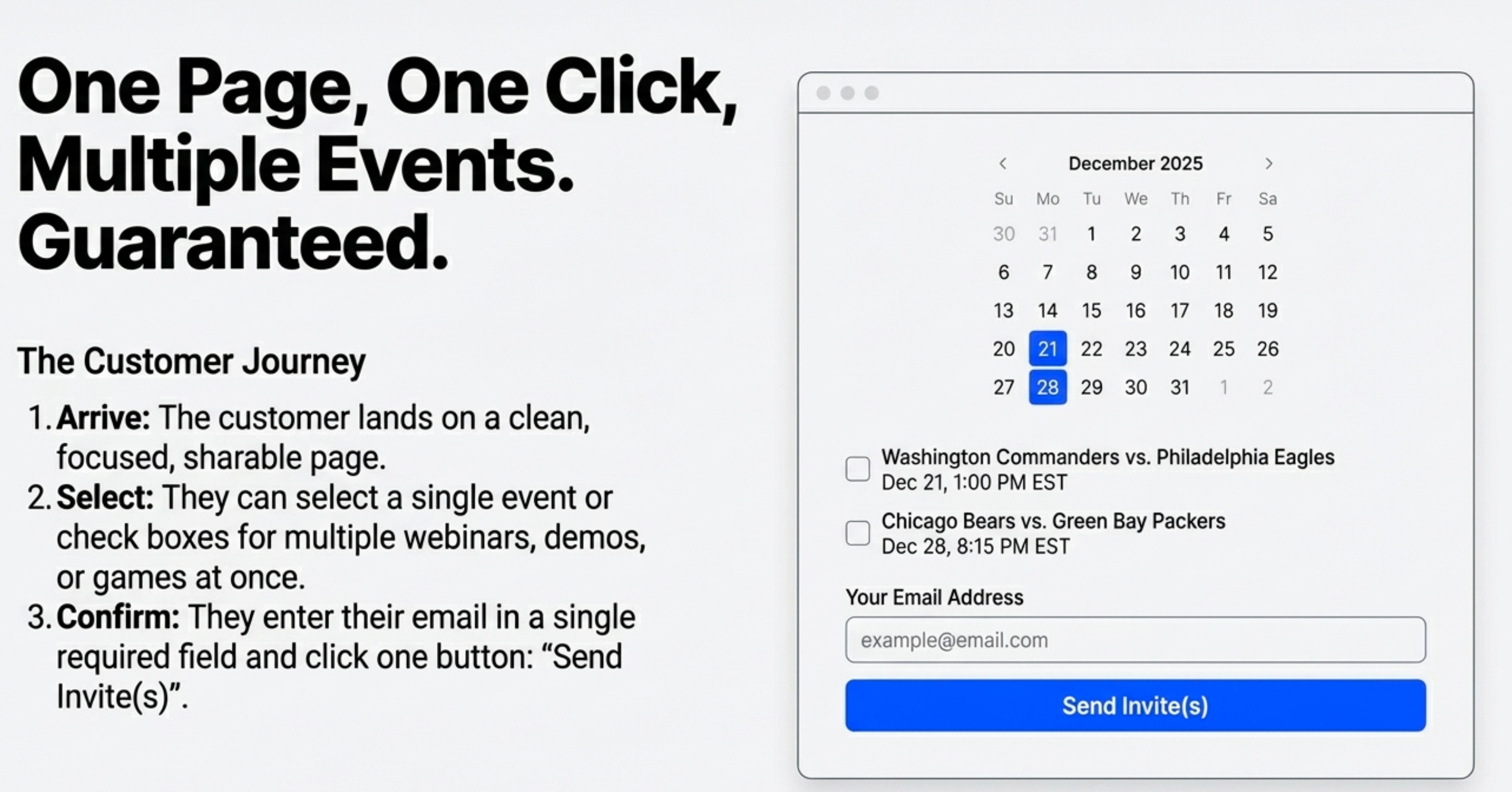
This single click sends a genuine, tracked calendar invite directly to their preferred calendar client. It completely eliminates the need to download and open messy .ics or ICAL files. The versatility of this single URL is immense; it can be used in email campaigns, embedded in employee signatures, or forwarded via SMS, creating a viral, one-click pathway for others to get their invites.
4. Event Updates Are Instant, Automatic, and Error-Free
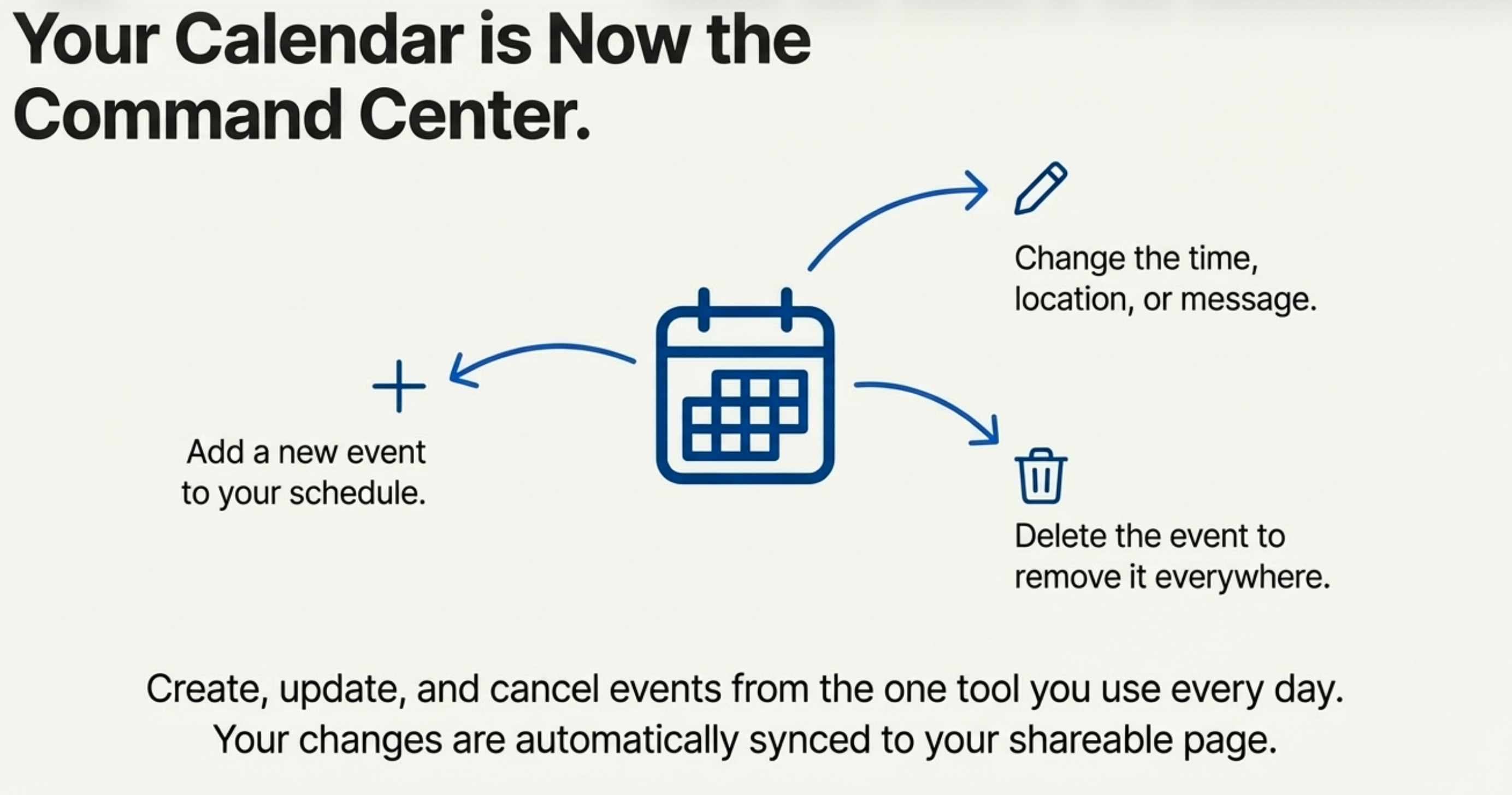
In this system, the organizer’s calendar becomes the “single source of truth.” To update any event data—time, location, or description—the organizer simply edits the event in their familiar calendar client and saves the changes. There is no separate admin panel to log into.
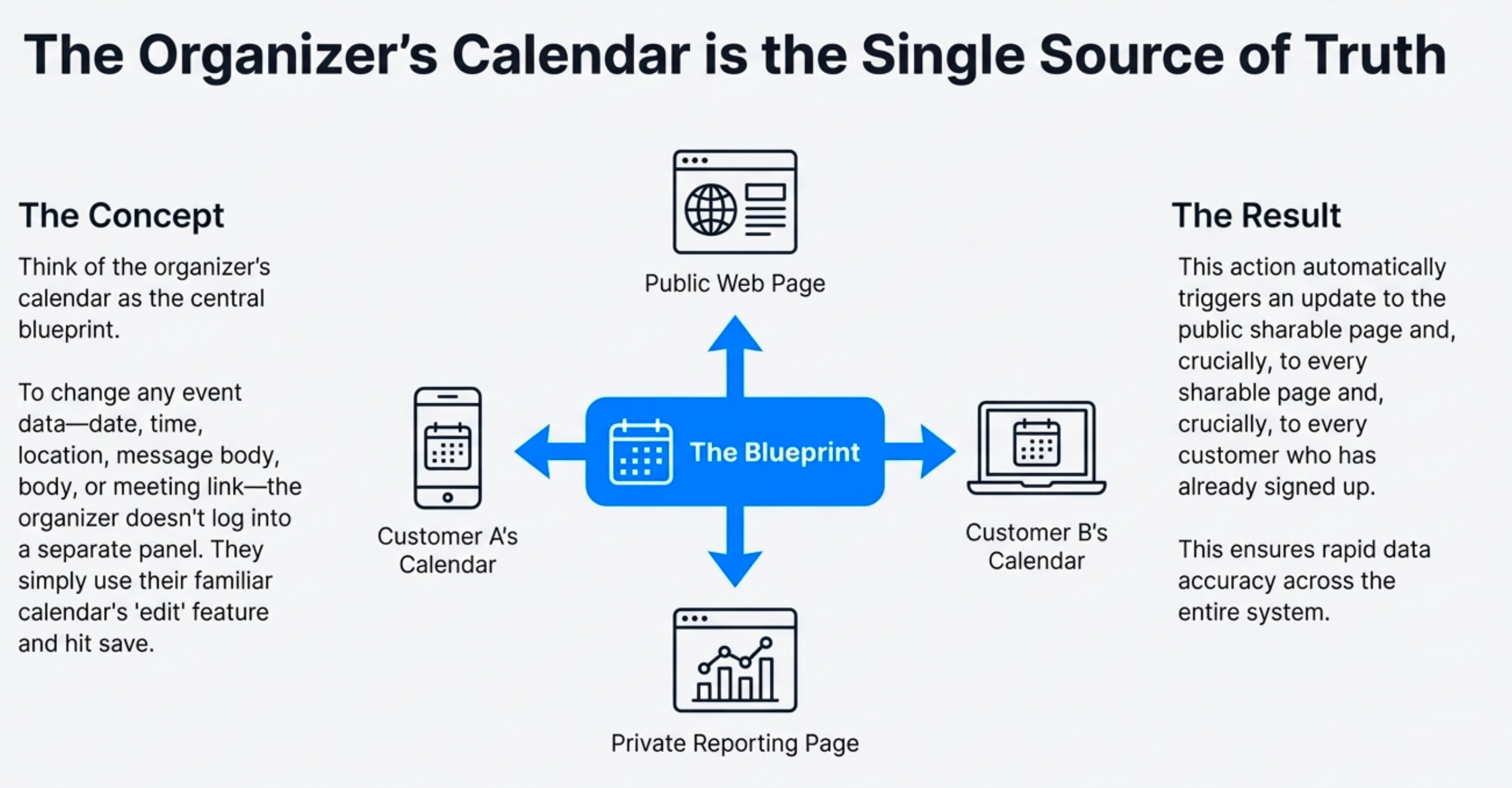
Saving the change automatically triggers two critical actions:
The public sharable events page is updated instantly.
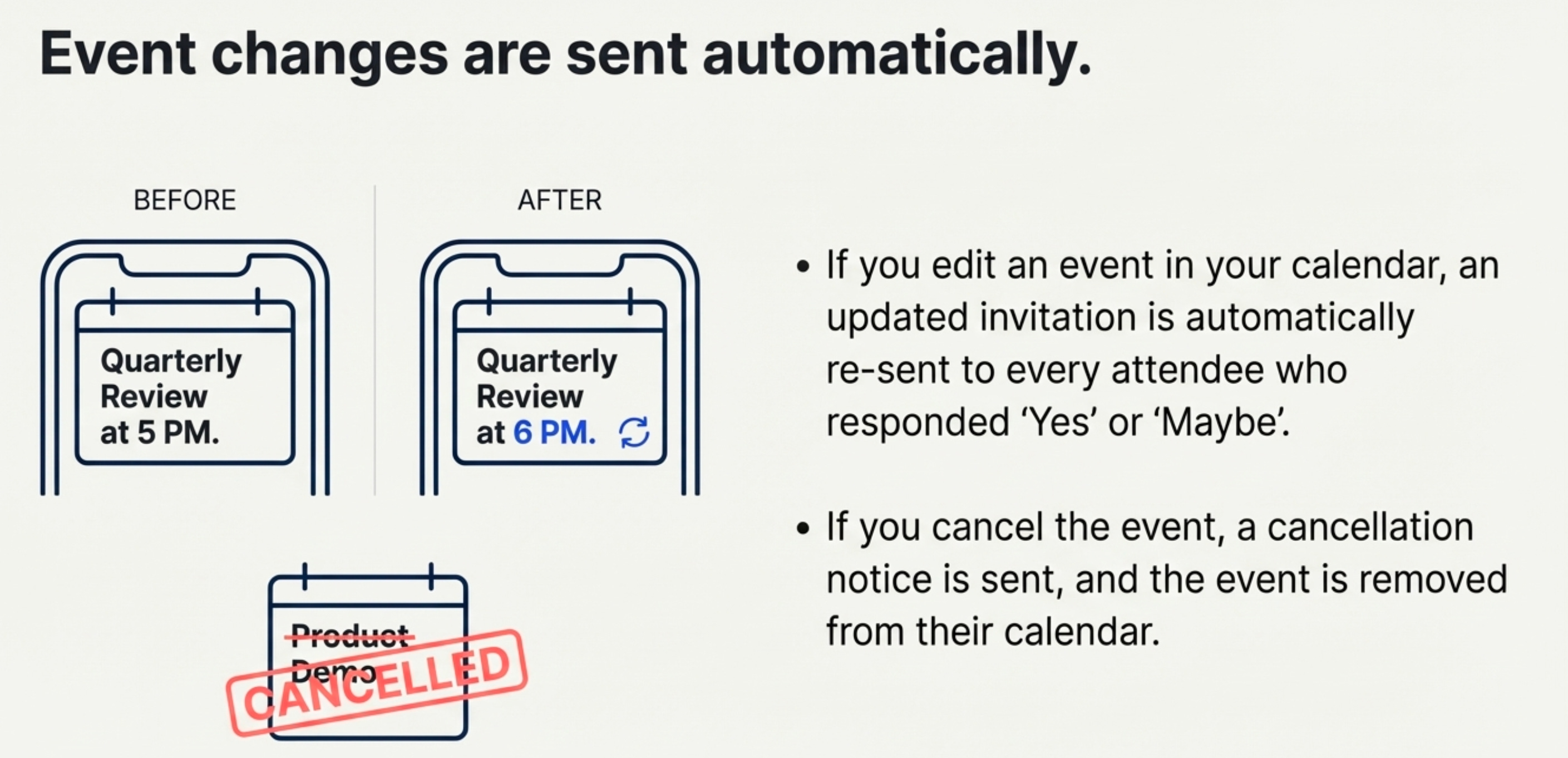
An updated calendar invite is sent to all customers who had previously responded with “yes” or “maybe.”
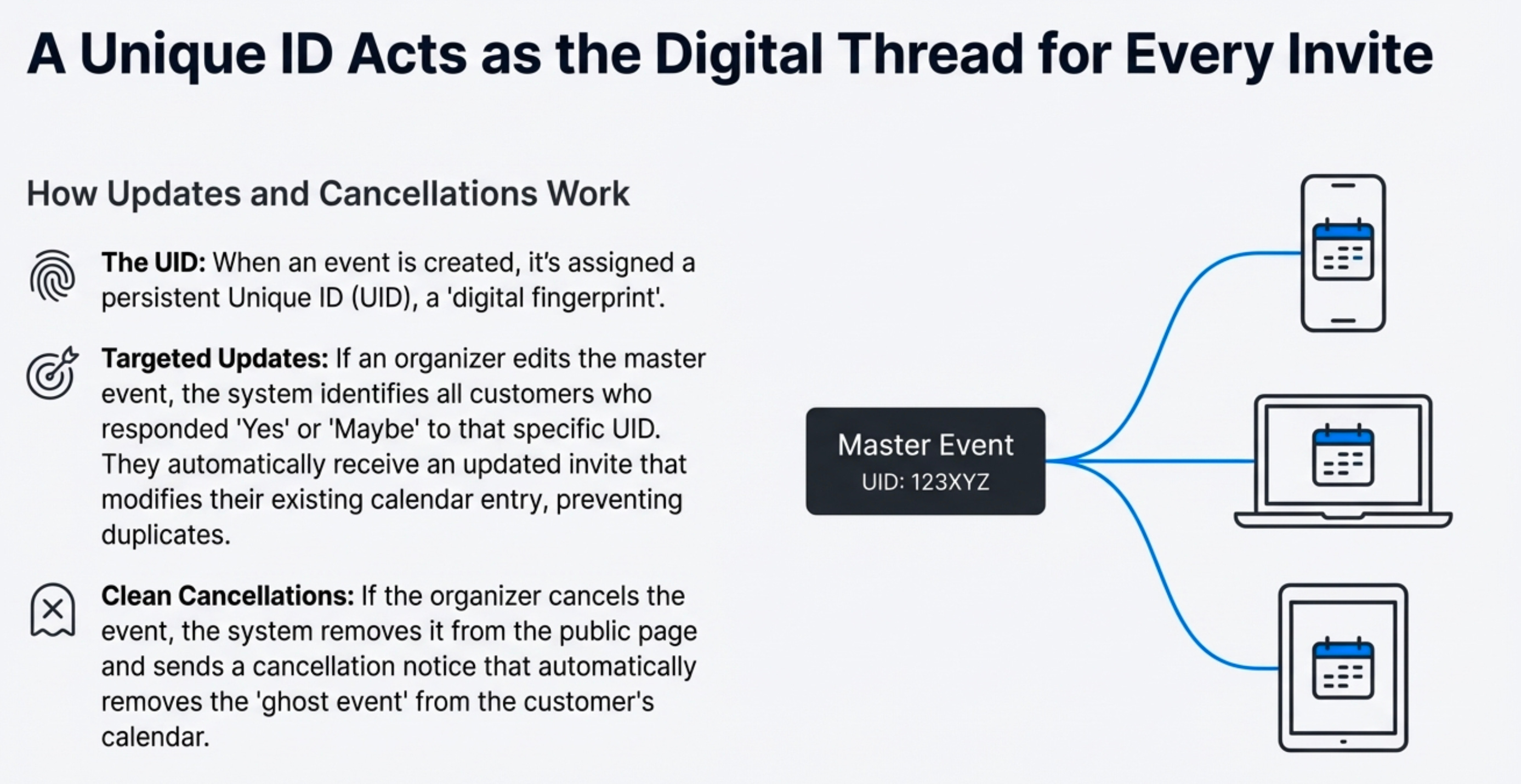
This is powered by a unique ID (UID) for each event, which acts as the digital thread connecting the organizer’s master event, the public web page, and the individual entry on the customer’s device. This maintains data integrity at scale and prevents duplicate entries. This same process cleanly handles cancellations. When an organizer cancels the event in their calendar, it is immediately removed from the public page, and a cancellation notice is sent that automatically removes the event from attendees’ calendars, preventing confusing “ghost events.”
5. You Finally Get Analytics That Matter
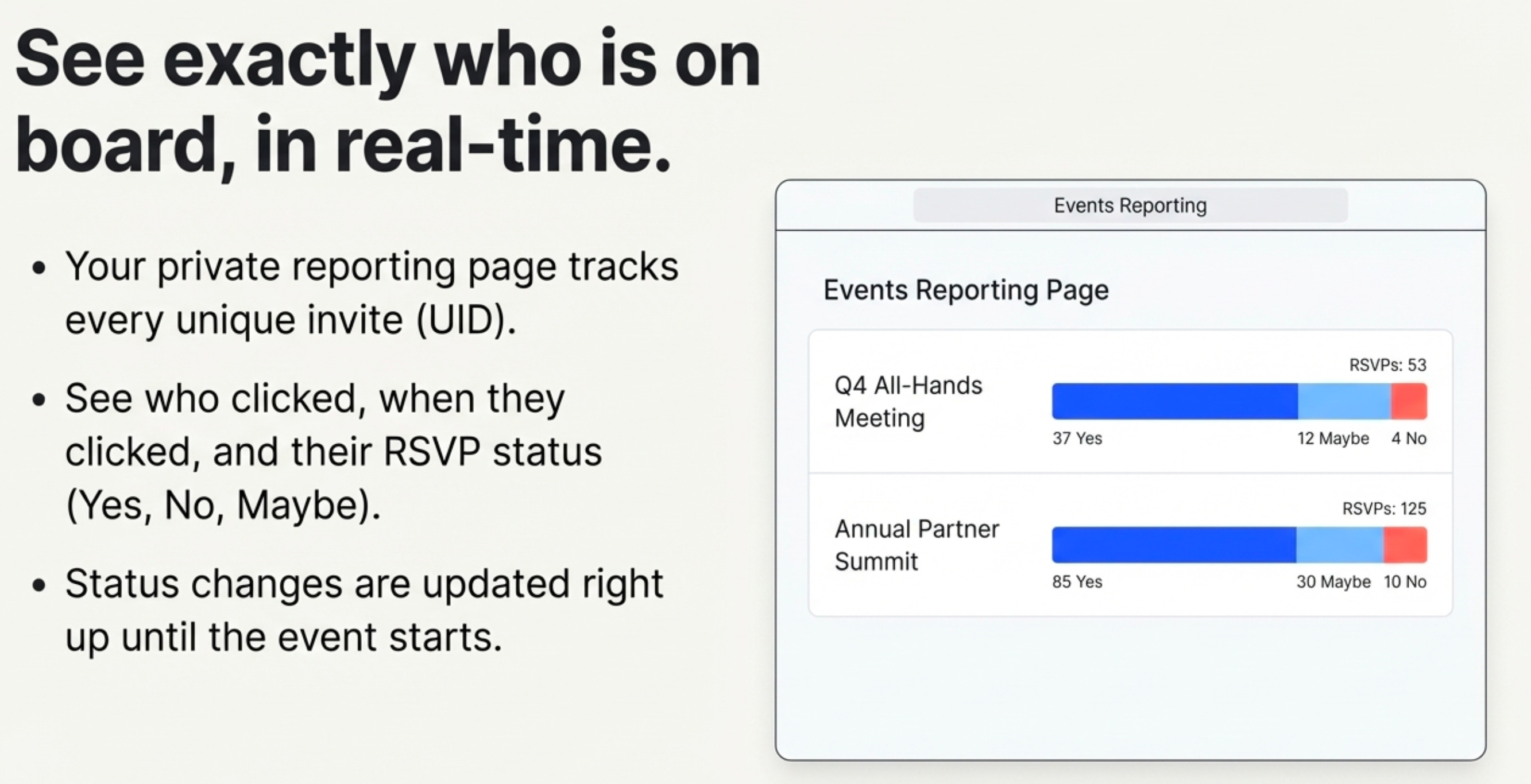
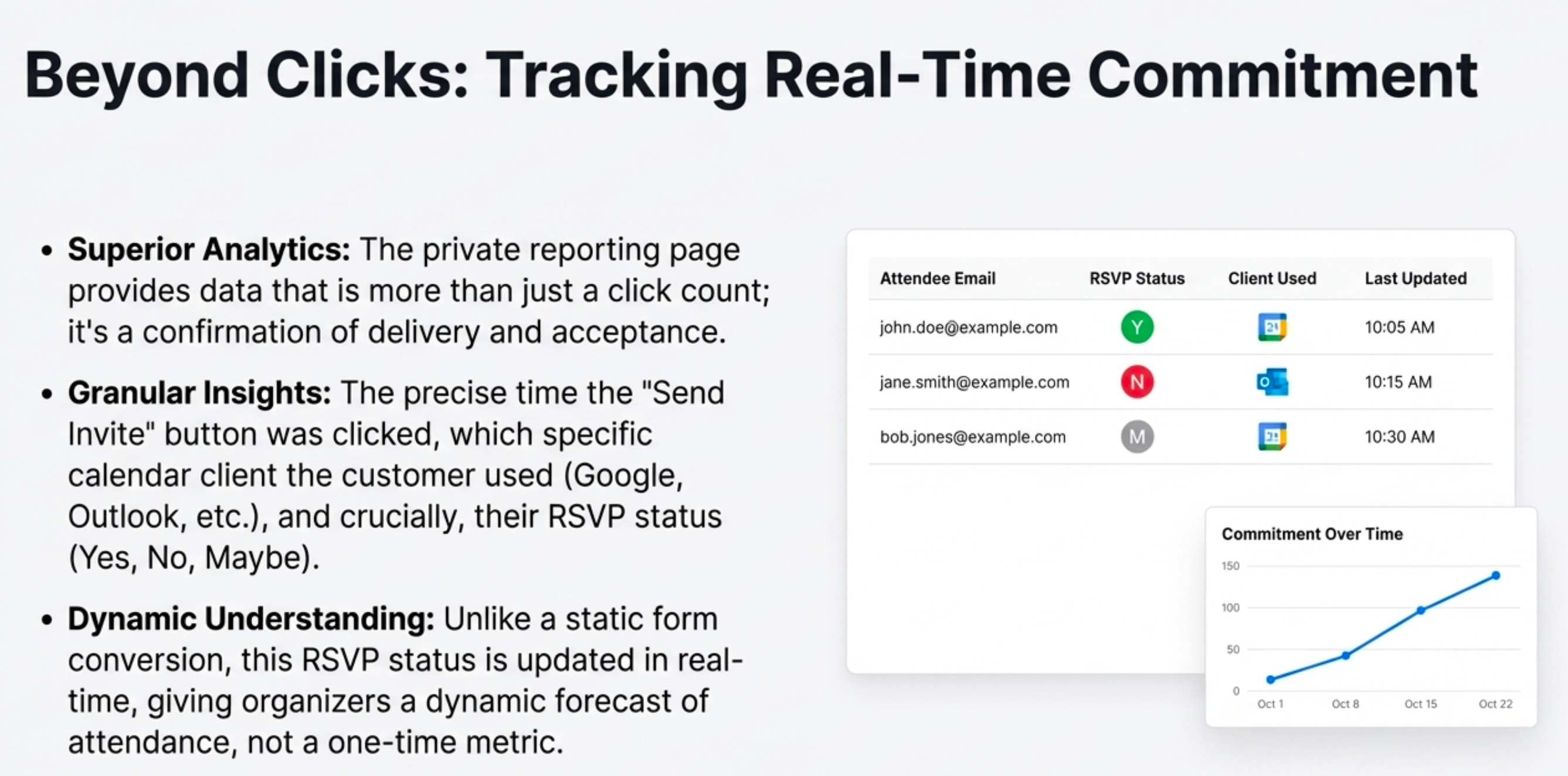
The tracking data generated by this system is superior to standard website conversion metrics. The data isn’t just a click count; it’s a confirmation of delivery and acceptance. The private, real-time reporting page provides granular analytics, including:
The precise time the “send invite” button was clicked.
The specific calendar client the customer used—invaluable knowledge for optimizing future communications.
The customer’s RSVP status (Yes, No, or Maybe).
This data is dynamic. If a customer changes their RSVP from “Yes” to “No,” the reporting page updates immediately. This gives organizers a true, evolving understanding of attendance projections, not just a static, one-time signup metric.
Furthermore, this dynamic link transforms the calendar from a simple RSVP tool into a last-mile communication channel. An organizer can update the event body in their calendar with last-minute promotional offers, QR codes for check-in, or special notices. Saving this change automatically pushes an updated invite to everyone who has RSVP’d “Yes” or “Maybe,” guaranteeing they see the new information without a separate, easily missed marketing email.
6. Conclusion: The Power of Hidden Infrastructure
This entire system is a masterclass in applying leverage. It solves a historically messy marketing and logistics problem by embracing the high-quality, universally adopted infrastructure of Google and Outlook calendars.
It maximizes efficiency by using superior, existing features rather than reinventing the wheel with limited, proprietary tools.