

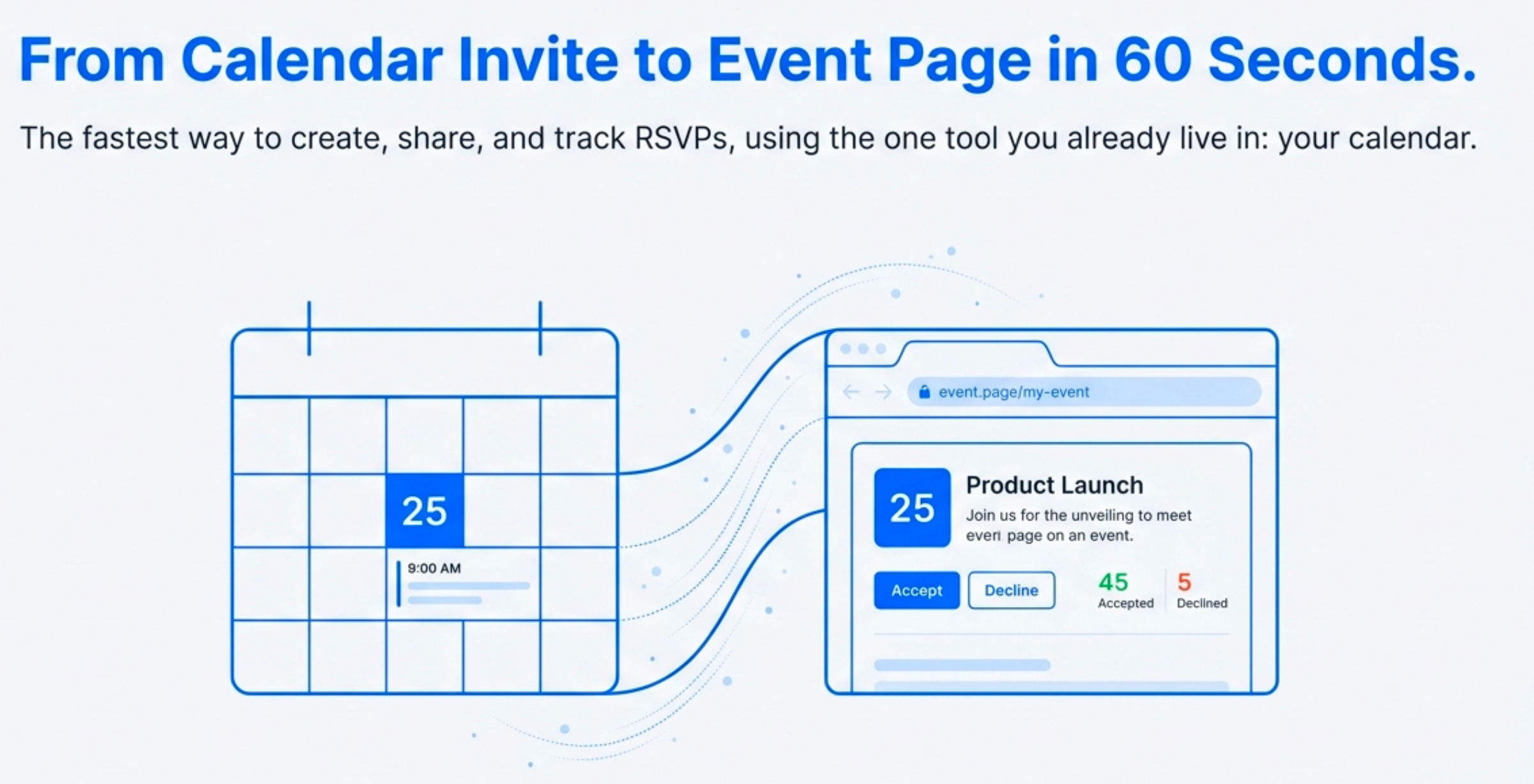
Why Your RSVP Form Is Obsolete (And What to Use Instead)
For years, the standard playbook for managing event sign-ups has created a fragmented workflow that creates data silos between your form tool and your attendees’ calendars.
As organizers, we wrestle with form builders and manually track responses, contributing to tool sprawl and increasing marketing stack complexity. As attendees, we fill out redundant fields and struggle with iCal files that don’t sync as expected.
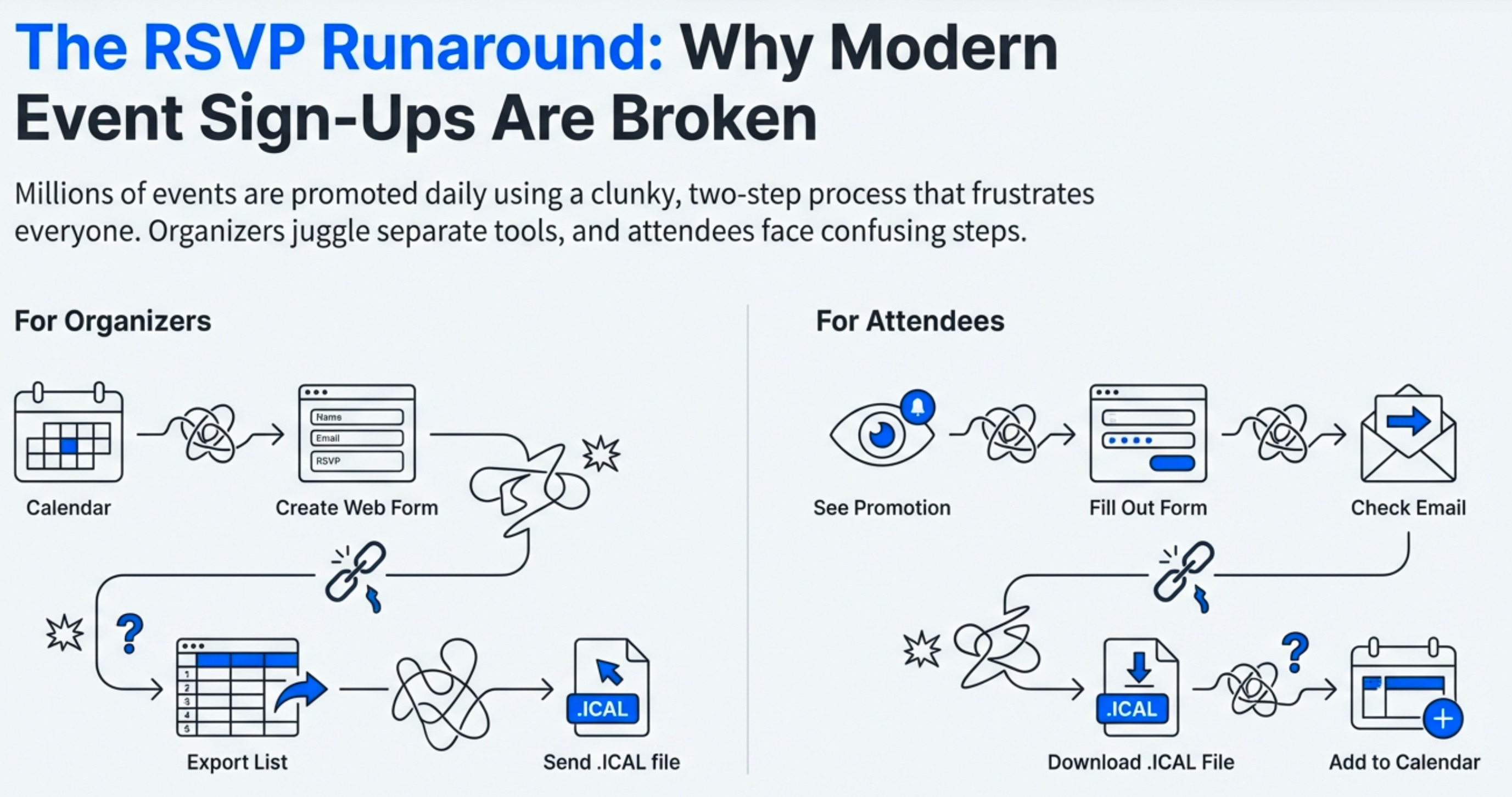
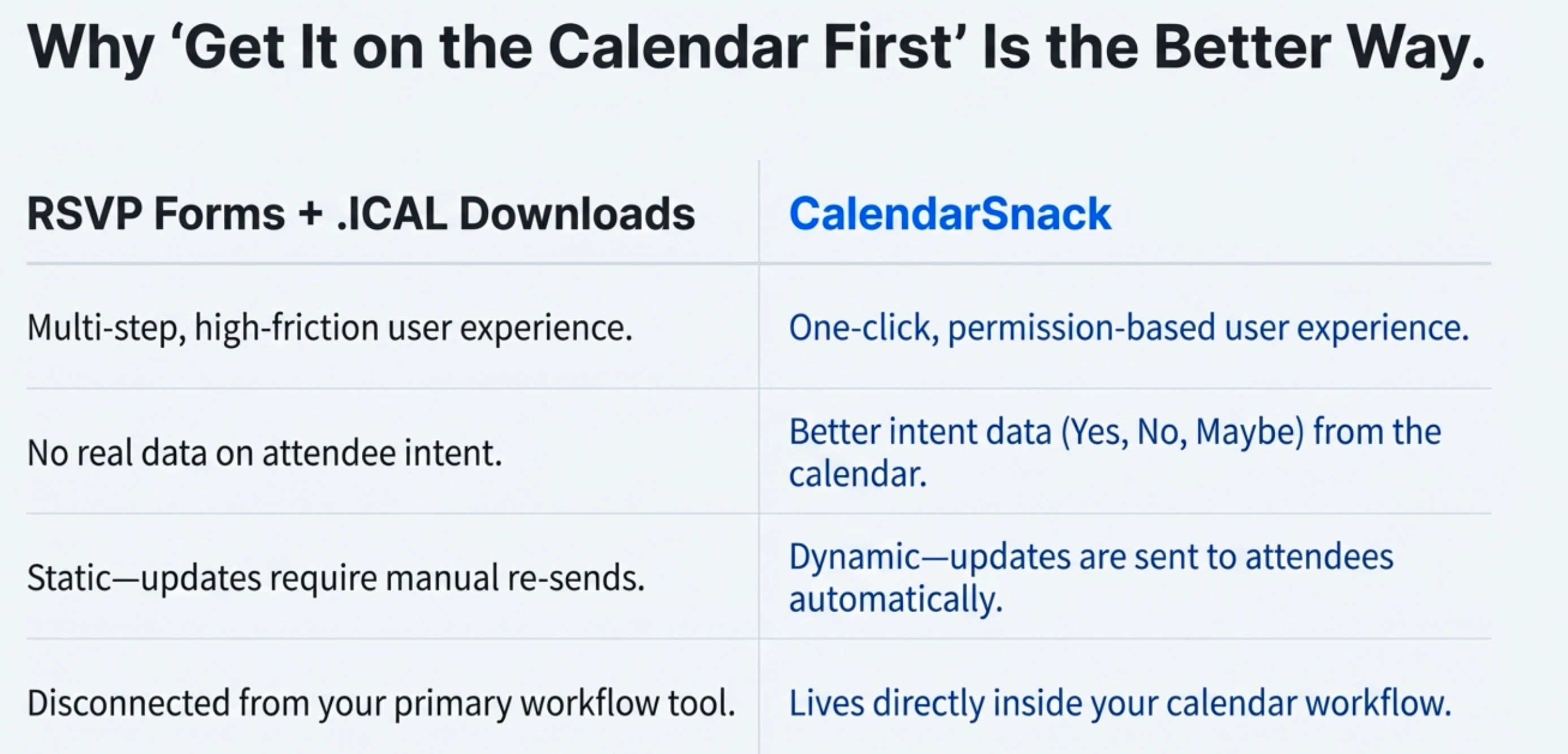
While these tools are common, they introduce unnecessary friction. Every extra click is a potential point of failure that can discourage a potential attendee. The process is clunky, inefficient, and fails to provide clear data on who actually intends to show up.
But what if the entire workflow could be simplified by working directly within the tool everyone already uses to manage their time? A more powerful, streamlined method exists by leveraging the native calendar system itself.
The following takeaways reveal how you can eliminate forms, automate updates, and get better data by simply rethinking the calendar invitation.
Takeaway 1: You Can Create an Event Landing Page in 60 Seconds... With One Email
An organizer creates a standard event in their Google or Microsoft calendar and simply invites create@calendarsnack.com as an attendee.
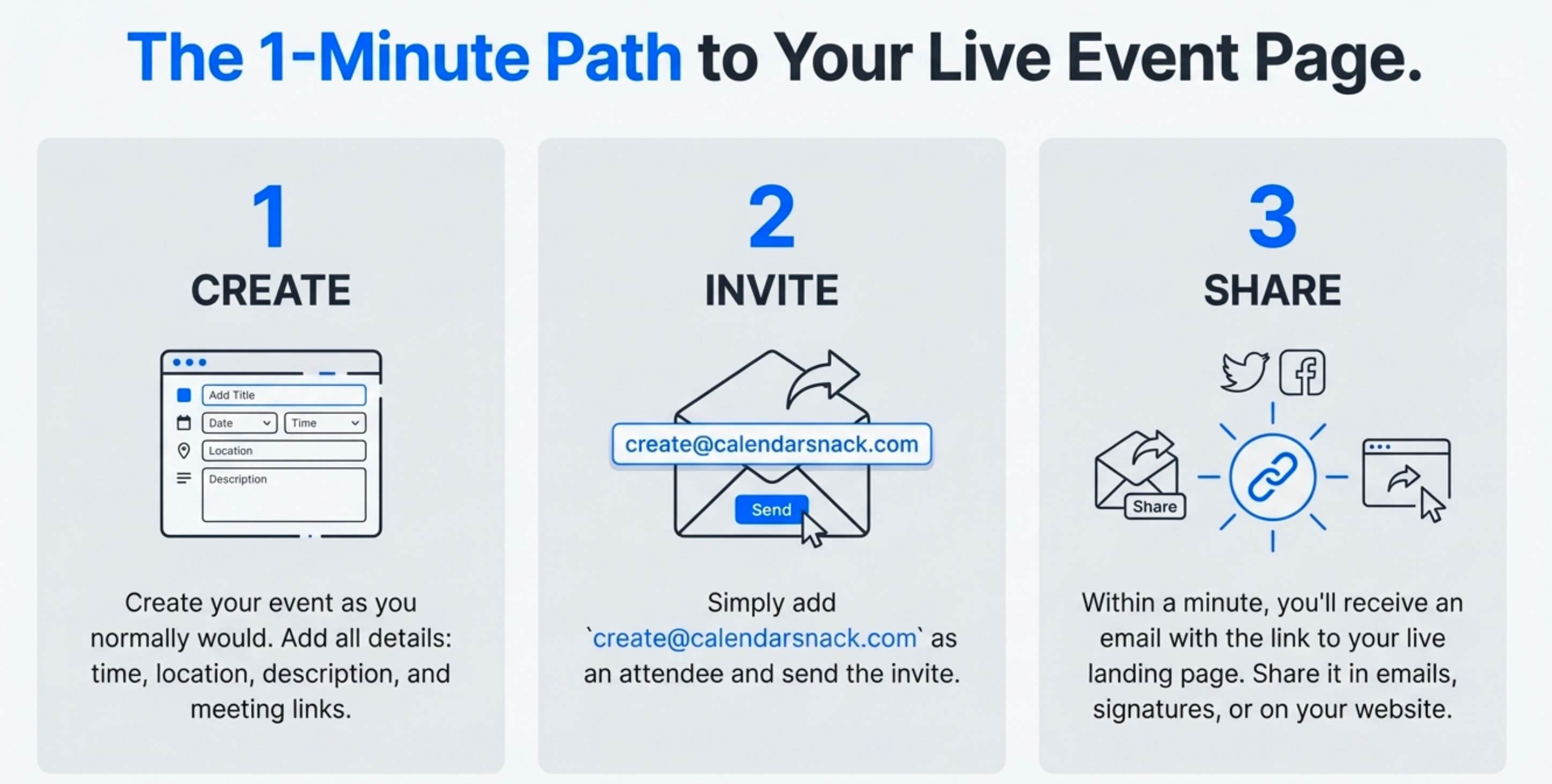
Within about one minute, the service automatically generates a shareable event landing page and sends a notification with the URL back to the organizer. This URL leads to a clean web page with a built-in email box at the top, ready for promotion.
The page automatically populates with all the essential information from your calendar invite, including the event name, start and end times, location or virtual meeting link, and the full event description.
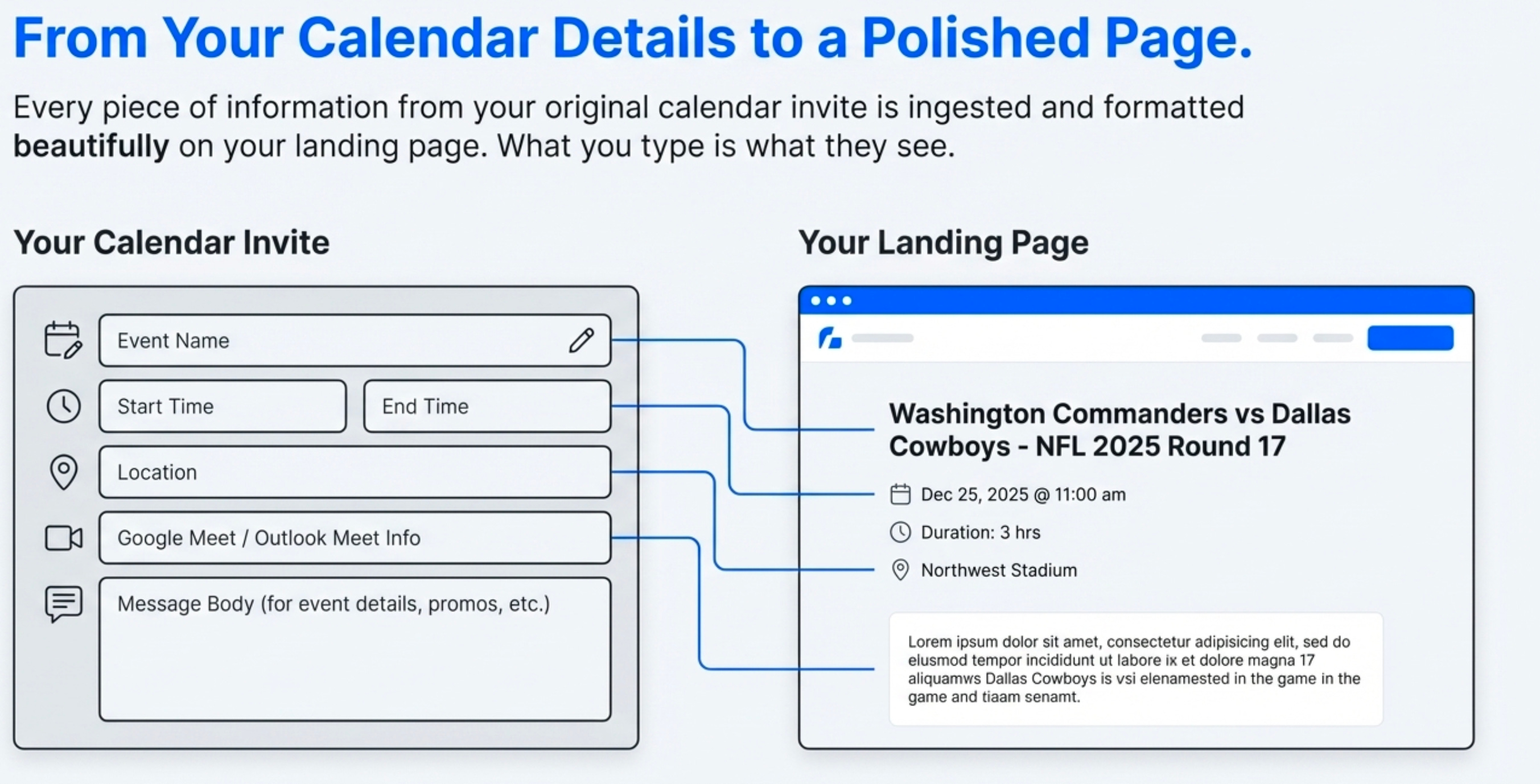
This simple action completely eliminates the need for dedicated landing page software or web design skills for straightforward event promotion.
Takeaway 2: The Best Way to Update Attendees is by Editing Your Own Calendar
Event details change. A time gets shifted, a location is updated, or you want to add a new promotion to the event description. This calendar-native approach automates the entire process. When an organizer needs to change event details, they simply open the original event in their own Google or Microsoft calendar, make the edit, and save it.
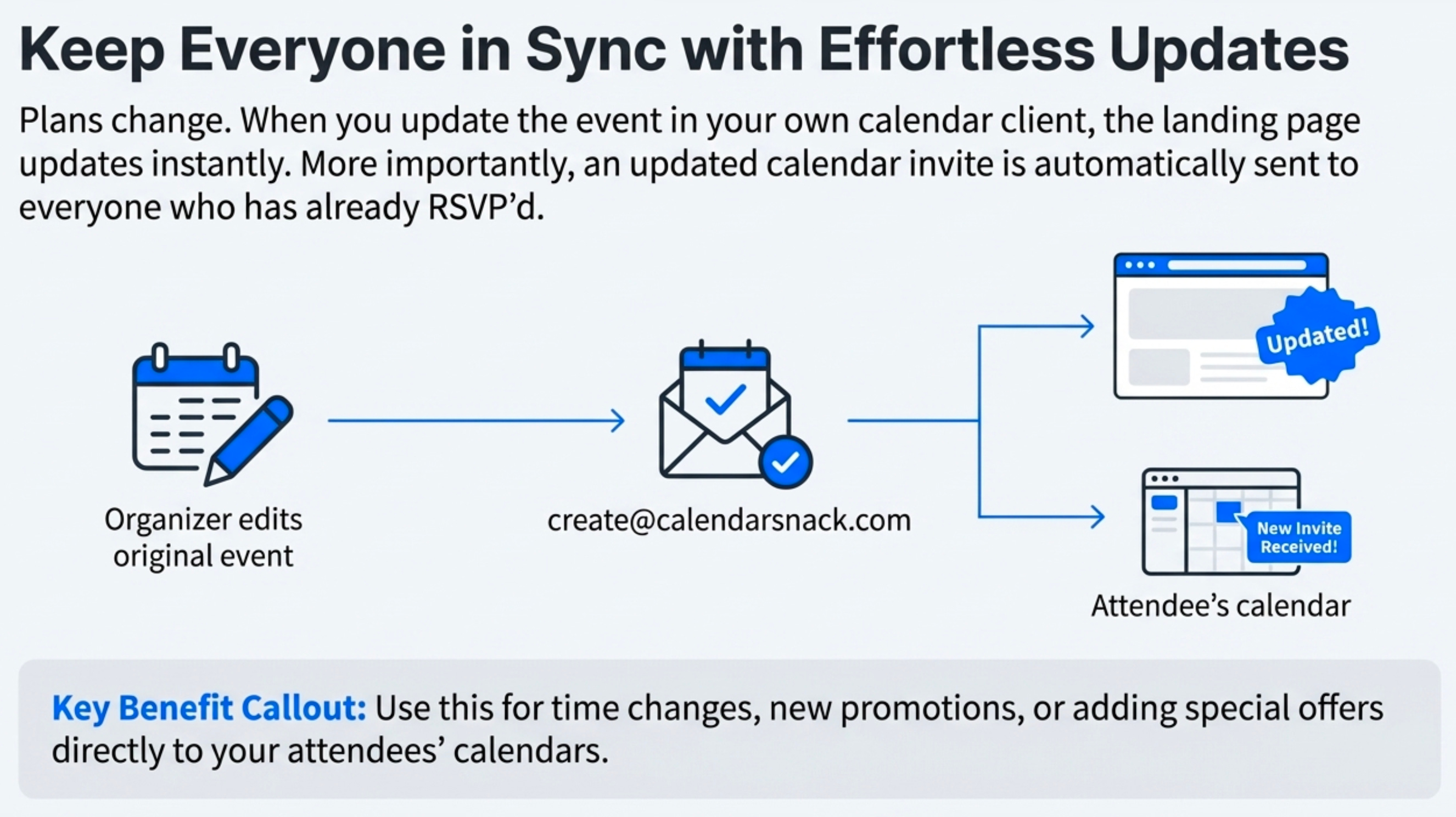
This action automatically sends the new information back to create@calendarsnack.com. The service then reprocesses the data and sends a new, updated calendar invite to everyone who had previously signed up via the landing page.
This single action replaces the error-prone, multi-step process of exporting attendee lists, drafting a separate update email, and hoping your audience sees it. It allows organizers to easily communicate changes directly to attendees’ calendars without any extra steps.
Takeaway 3: Ditch RSVP Forms for Smarter “Intent Data”
This method is designed to completely replace the “RSVP Forms + ICAL Downloads” process. Instead of filling out a form, a potential attendee visits the landing page, enters their email address, and clicks a single button to receive a native calendar invitation.
Their response is tracked via “calendar receipts”—the Yes, No, or Maybe selections they make directly within their own calendar client. These are high-fidelity engagement signals captured directly from the user’s native environment, providing far more reliable “intent data” than a simple form submission, which doesn’t confirm the event is actually on their schedule.
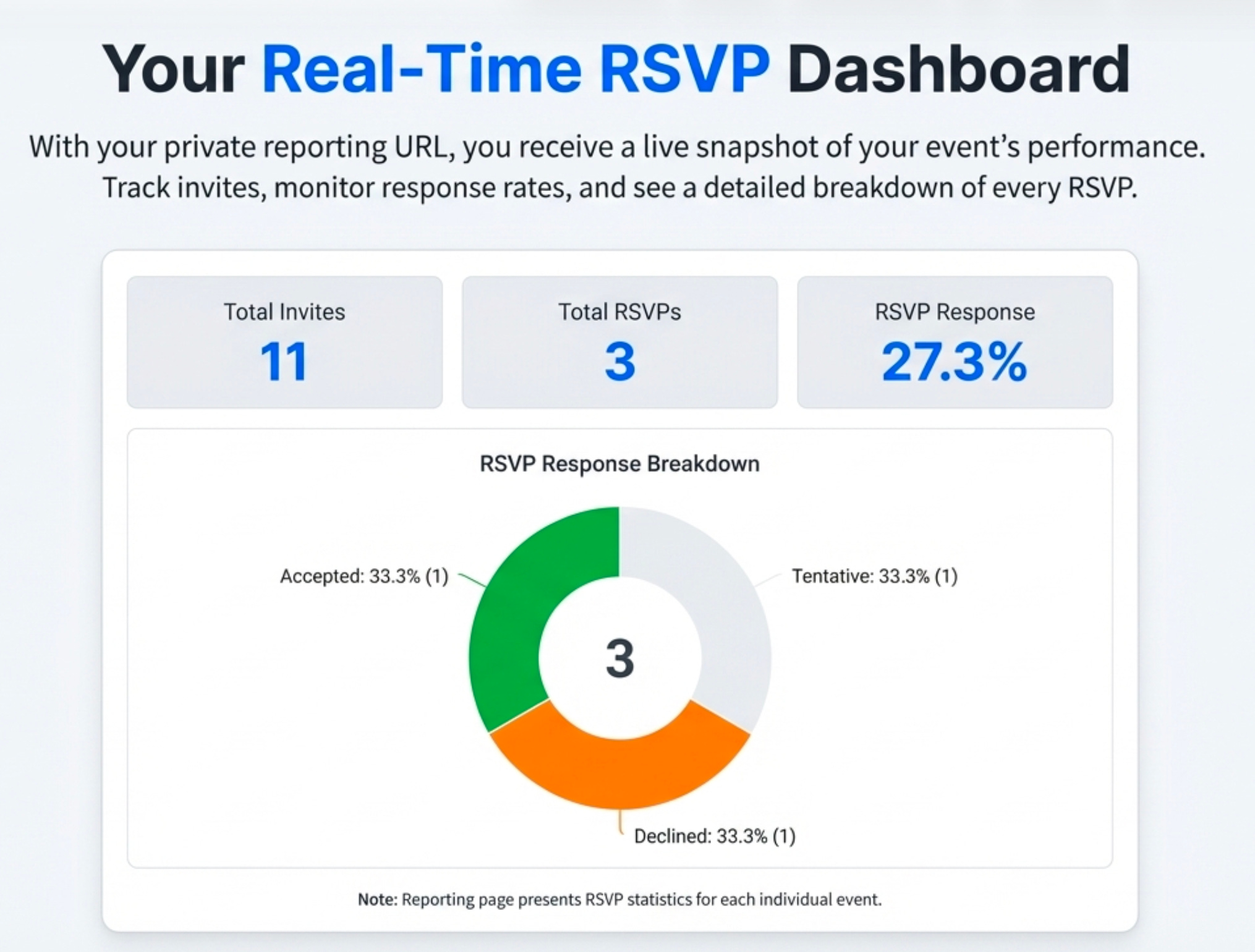
Customers get a permission-based calendar invite presented in email or web using this alternative. Customers can use the calendar client and selecting Y, N, or M instead of RSVP Form and Ical download to send back to the Organizer presenting better intent data.
This approach gives you a clear dashboard with at-a-glance metrics like total invites sent, the overall RSVP response rate, and a precise breakdown of Accepted, Declined, and Tentative responses. This creates a single source of truth for event engagement, giving a real-time snapshot of attendee commitment.
Takeaway 4: Manage and Display All Your Events on One Auto-Sorted Page
If you manage multiple events, you don’t need multiple landing pages. An organizer can send any number of different calendar invites to create@calendarsnack.com. The service automatically populates a single, shareable landing page with all non-canceled events, displaying them in chronological order.
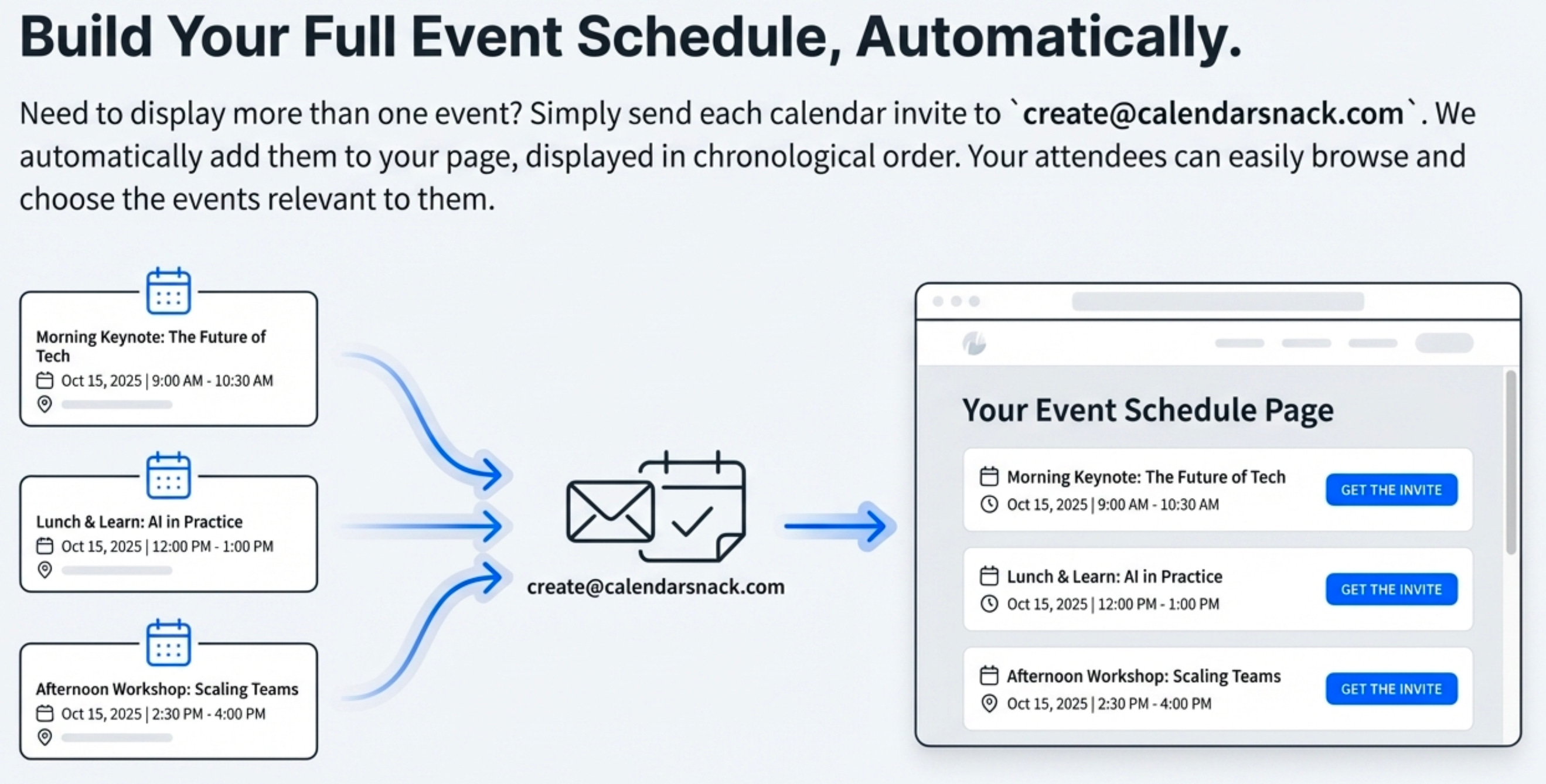
The customer experience is seamless. The email input box remains stationary at the top of the page, allowing a customer to scroll through the entire list of upcoming events.
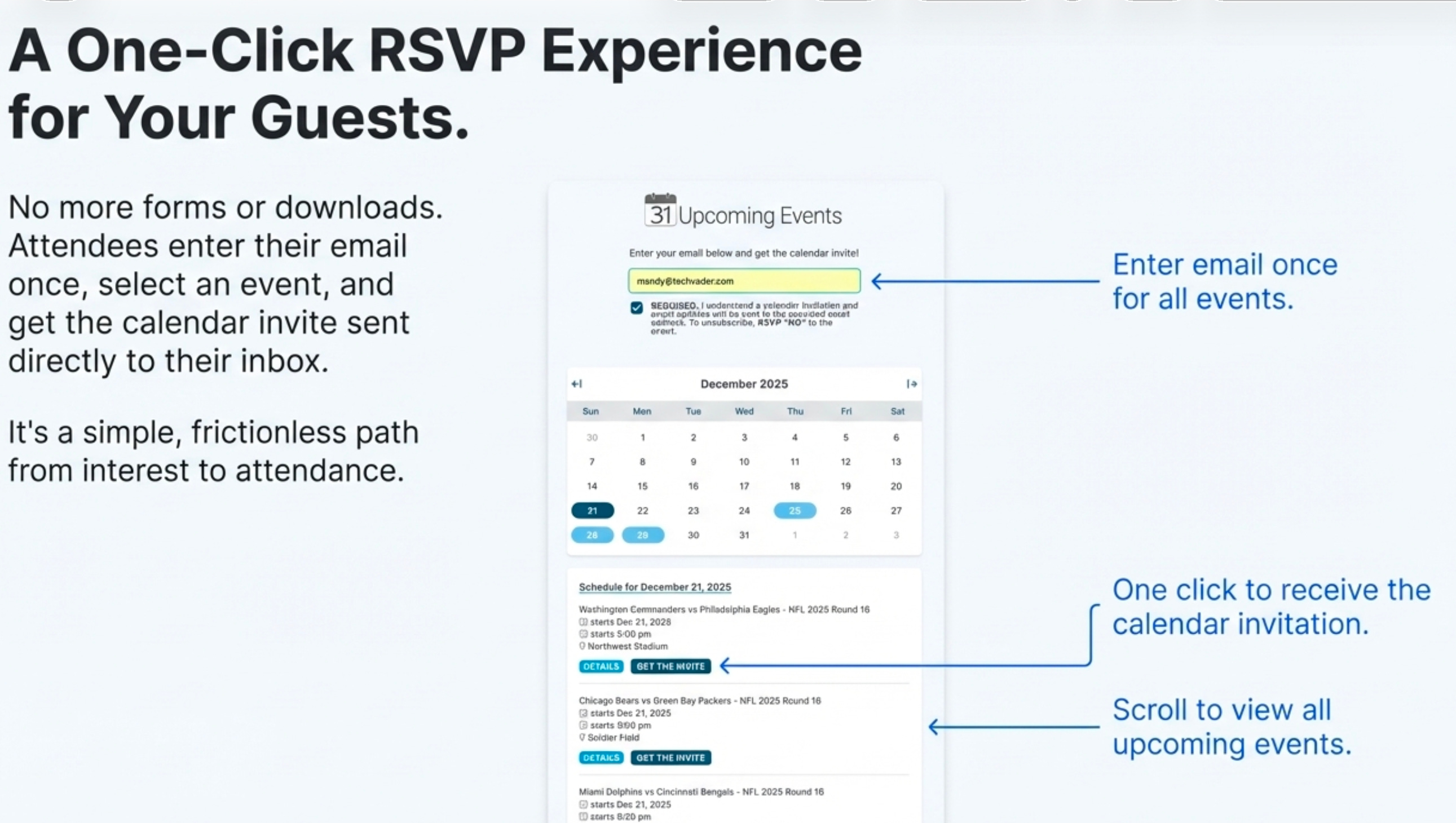
They can then select the specific one they wish to attend and click the button to receive the corresponding calendar invitation. This consolidates your entire event schedule into one simple, interactive destination.
Conclusion: Get on the Calendar First
The most effective way to secure an attendee’s commitment and attention is to “get it on the calendar first.” By bypassing cumbersome forms and working within the native calendar ecosystem, you create a process that is radically simpler for organizers and completely frictionless for attendees.
This calendar-native approach not only saves time but also provides a single source of truth for event engagement, proving that the most powerful innovations often come from simplifying our workflows, not complicating them with more tools.
It’s a strategic shift that reduces marketing complexity and yields more accurate data.
