

Add to Calendar, collects no RSVP’s
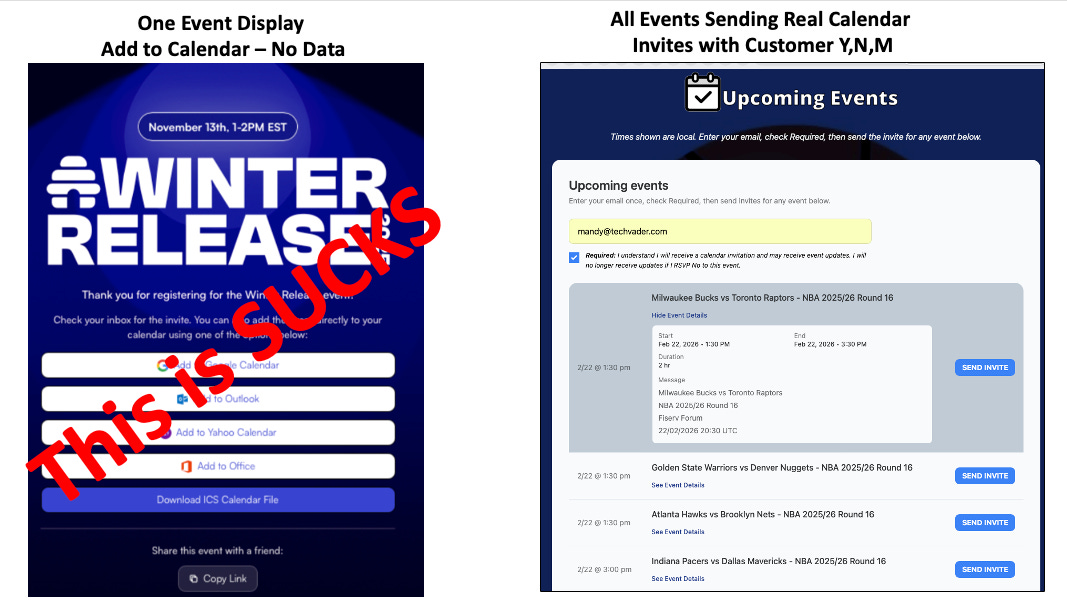
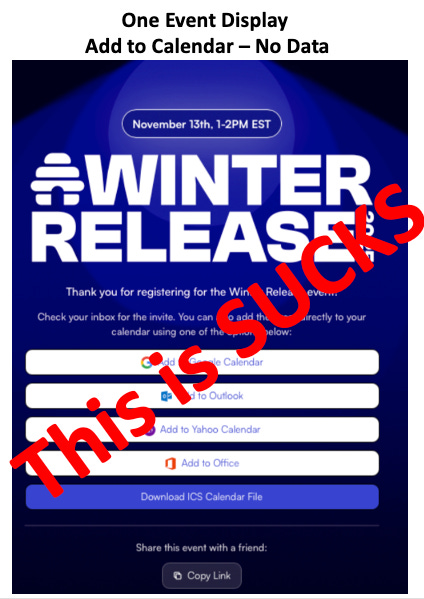
Imagine the typical attendee journey: a user registers for a high-profile event, such as the recent Beehive winter release.
They complete the registration “hop” and land on a success page.
There, they see the familiar row of “Add to Calendar” buttons, and you “PRAY” they use.
As an organizer, you assume the journey is complete.
You have a confirmed registration, and you left the user with the 4 choices of the Add to Calendar Button as the last impression.
Then, because you’re not sure, you send the “Industry Reminder Email”.
Like 3 times. LOL.
All without knowing if it’s on their calendar.
Millions of Marketers do this every day.
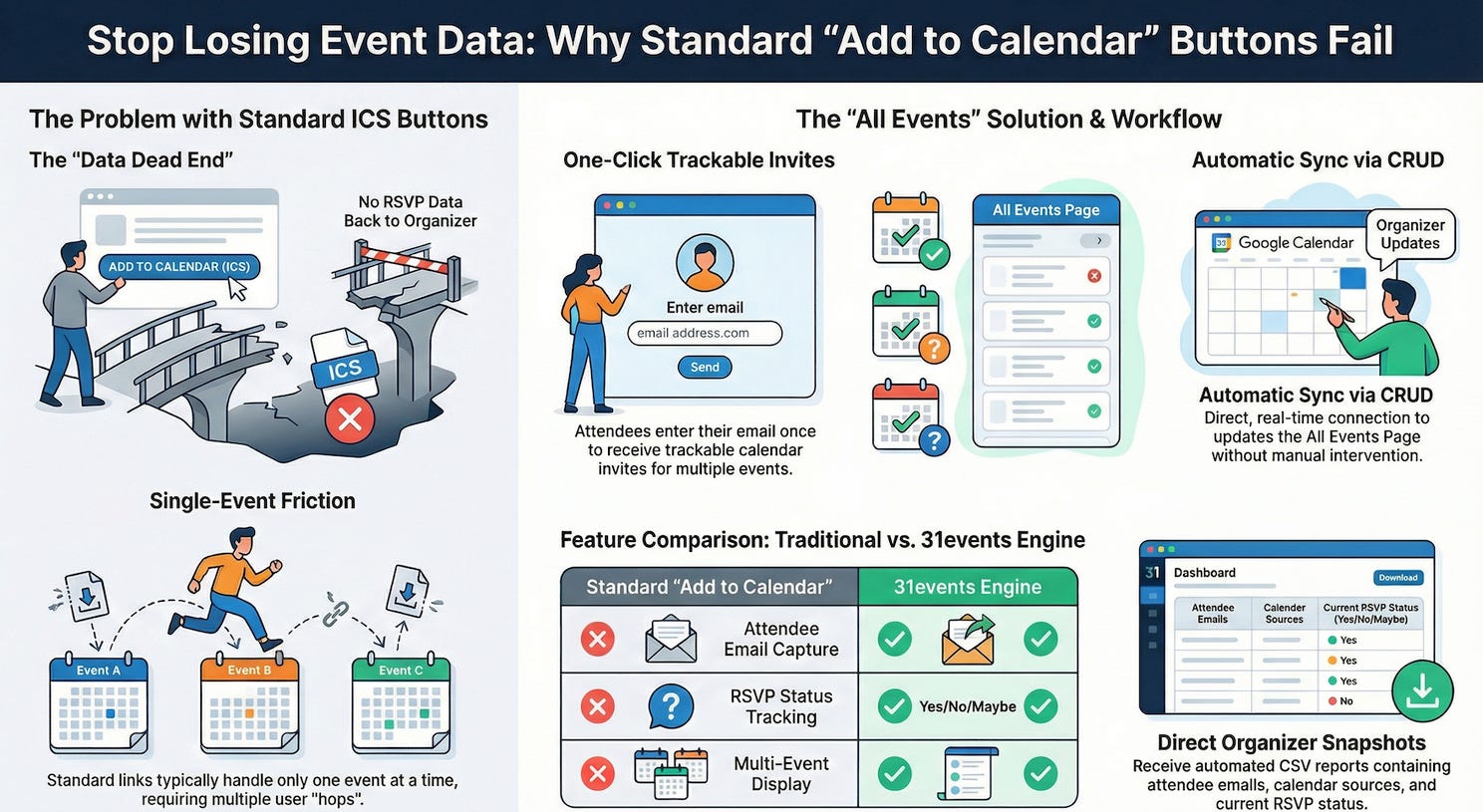
The moment that the user clicks a button, the connection is severed. You have no idea whether that event actually made it onto their schedule, if they deleted it ten minutes later, or if they plan to show up. If the add to calendar is on the calendar, it cannot be updated.
This hidden frustration is a systemic failure in event marketing.
Takeaway 1: The “Add to Calendar” Button is a Dead End
The standard “Add to Calendar” feature is what we call a “one event display” problem.
Whether the user selects Google, Outlook, or Yahoo, the result is the same: the system generates a static ICS file for a single event, and marketing is forced to send customers to a landing page to download it.ICS buttons.
It does not work for multiple events.
Once that file is downloaded, it is gone.
It exists in a vacuum on the user’s device, limited because no signal is ever sent back to the organizer for an RSVP of Y, N, or M.
This isn’t just a minor technical gap; it is a massive opportunity cost.
Millions of events are done this way on the internet every day.
Takeaway 2: The Power of the “All Events” Landing Page
Instead of a single-event dead end, the all events page serves as a comprehensive dashboard for all sessions or events you have scheduled, and includes embedded calendar invites for 1-click sending.
This can serve as the immediate “Success Page” after a registration form, or even as the entry point itself, with the registration details in the calendar invite’s message body.
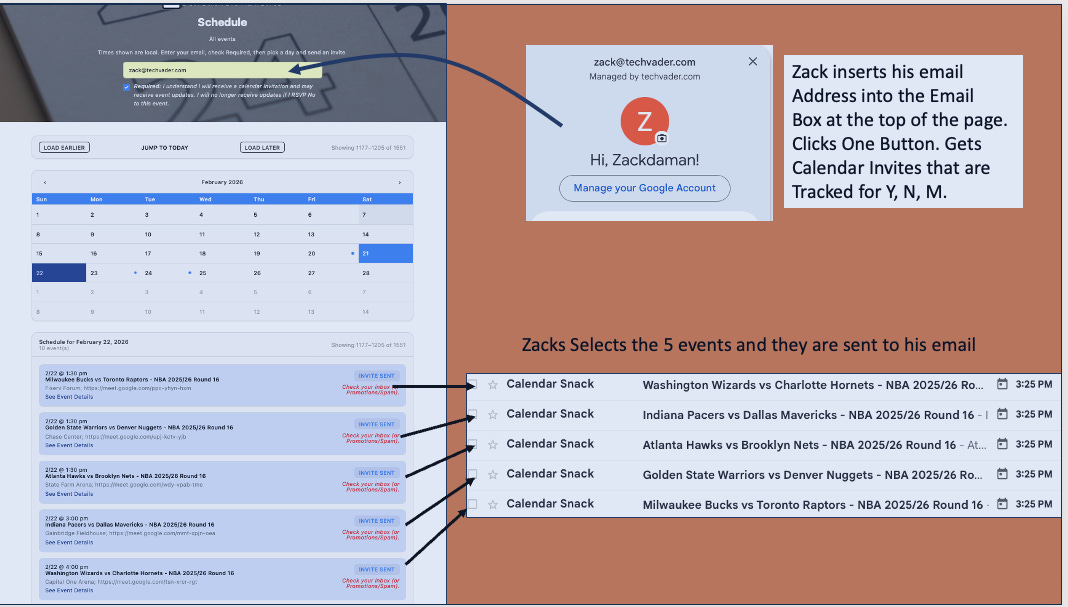
Rather than forcing users to navigate multiple registration hoops for different sessions, they see the full scope of your offerings at once.
They can select multiple events, enter their email one time, and receive everything they need. It transforms a singular “reminder” into a broader engagement strategy using the calendar invite protocol.
Takeaway 3: Turning Invites into Actionable Data
In this workflow, the user provides their email address and clicks a single button to receive specific calendar invitations directly in their inbox.
This is where the “magic” happens.
These calendar invitations are not static files; they contain active requests for calendar receipt data.
When a customer or user clicks “Yes,” “No,” or “Maybe” in their own calendar client, the system captures a “calendar receipt” and sends it back to the API gateway.
This trigger allows the organizer to track intent in real-time, turning a simple calendar entry into actionable, measurable data.
Takeaway 4: Zero-Interface Management (The CRUD Secret)
The most powerful aspect of this system is that it requires zero new software for the organizer to learn.
You can get started in 60 seconds because your interface is the calendar you already use every day on desktop or mobile.
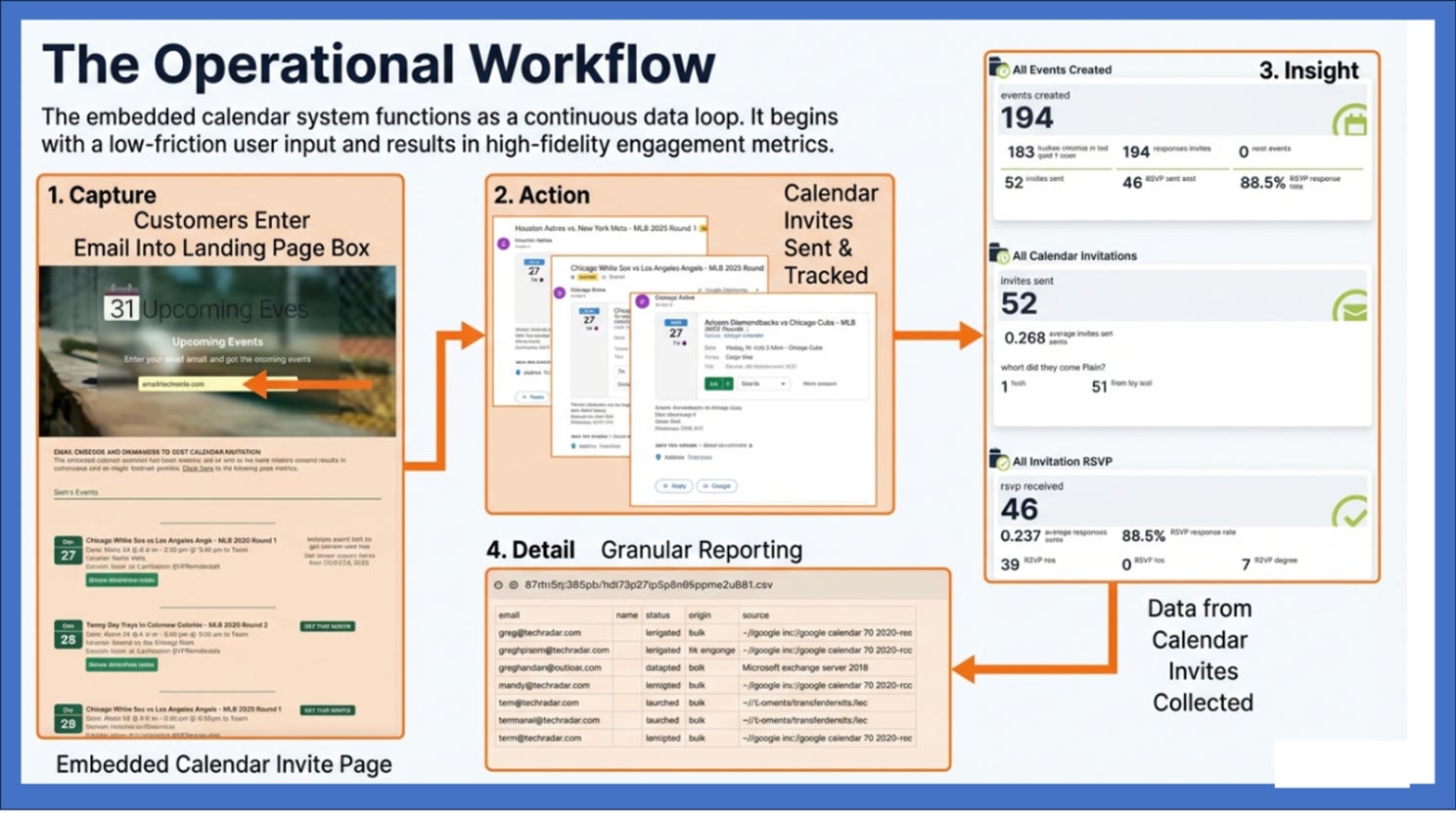
By sending your Outlook or Google Calendar invite event to the configured create@yourmailbox.com, you can manage the public event page using the Calendar Client “CRUD” (Create, Read, Update, Delete) commands to change the data on your “Events for Life” public landing page.
After the event is sent to the create command, you will receive an email notification that your event is ready, with a URL to see your landing page with the events on it.
You can share with your customers in 60 seconds.
Each calendar event has an embedded calendar invite on the page that sets up the One Click Calendar Invite. The landing page is auto-formatted and automatically inserts the REST API for Calendar Invite sending into the 1 click buttons.
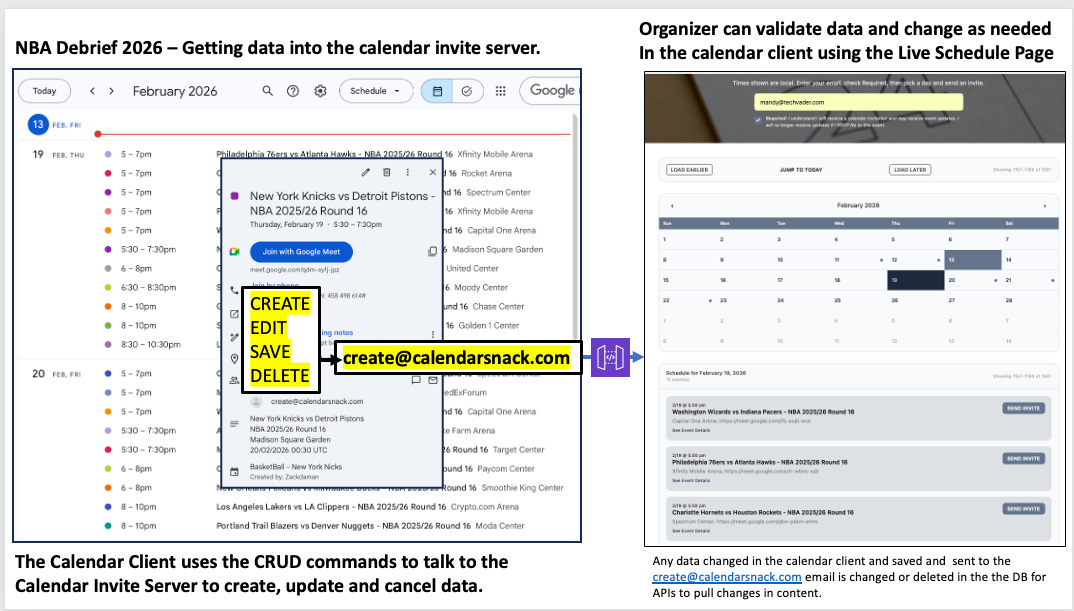
If you update a meeting time or delete a session in your personal calendar, those changes are reflected on the public page in seconds.
You never have to “log in” to a dashboard; you simply manage your Landing page Events schedule from your calendar client, and the technology handles the rest, including sending updated calendar invites to anyone who received the original invite.
Takeaway 5: The Automated “Organizer Snapshot”
Reporting should not be a chore. Instead of hunting for engagement metrics, the API gateway synthesizes all responses into an “Organizer Snapshot” and sends it directly to your inbox.
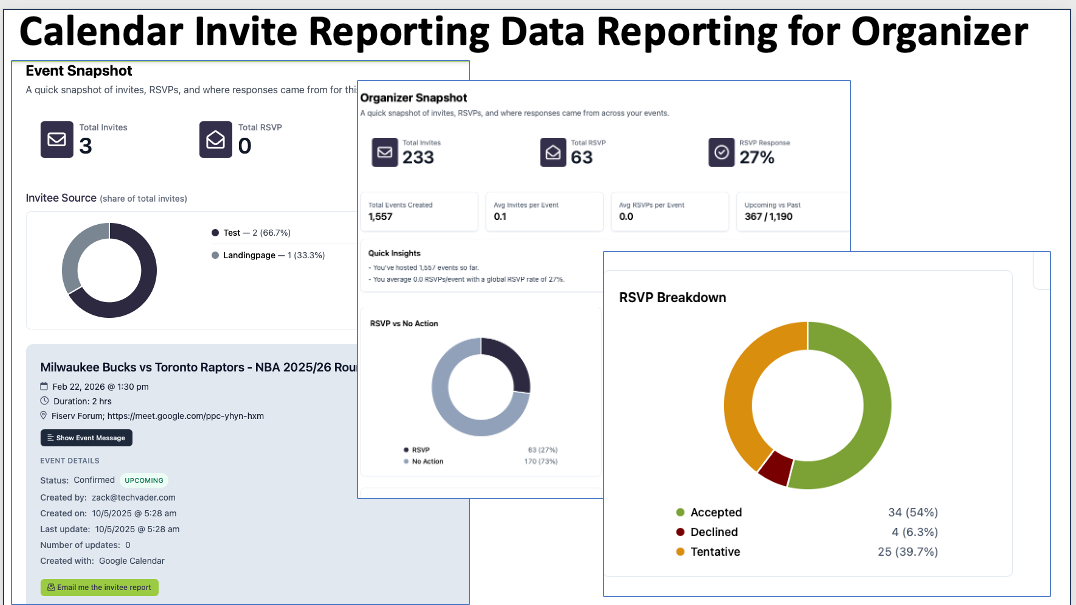
This snapshot provides a high-level overview of engagement—similar to how we track high-stakes engagement for games like the Bucks vs. Raptors. For those who need granular details, a “detail button” triggers the immediate delivery of a CSV file containing:
• Attendee email addresses.
• The source of the calendar client (Google, Outlook, etc.).
• The real-time RSVP status (Yes/No/Maybe).
Conclusion: Rethinking the Event Lifecycle
The traditional ICS download is a relic of an era before real-time data. Shifting from a “download” to a “data exchange” fundamentally changes the relationship between the organizer and the attendee. You stop guessing and start knowing.
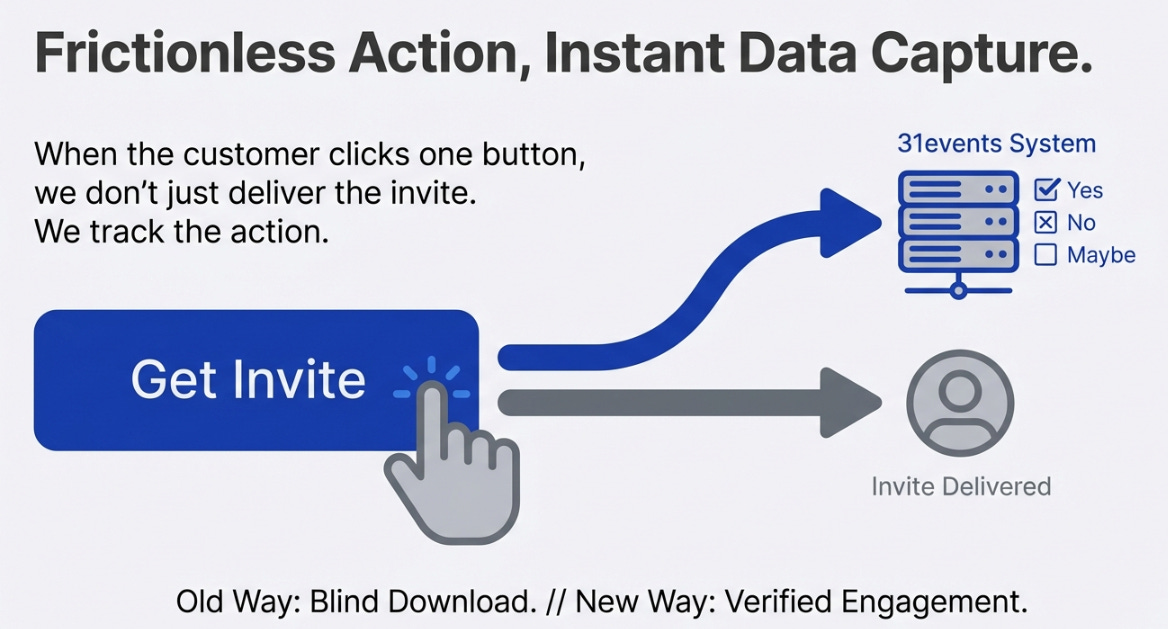
Ask yourself: Is your current event strategy collecting data, or is it just handing out files? If you aren’t receiving calendar receipts, you are flying blind. It’s time to close the black hole and start turning your calendar into your most powerful marketing asset.


