

Killer App
Organizing and promoting events, whether for a small team or a large customer base, is often a disjointed and manual process. You create a landing page on one platform, send invites from another, and track RSVPs in a spreadsheet.
Every update or cancellation requires another round of manual communication, hoping the message reaches everyone. This friction consumes valuable time and creates opportunities for error, leaving attendees with outdated information.
But what if your everyday calendar could do all of that for you, automatically, in less than a minute? What if the simple act of creating a calendar event could launch a complete, trackable, and automated promotional campaign?
This article reveals five powerful, counter-intuitive features of a system that transforms standard calendar invites into a complete event management solution.

The Top 5 Takeaways
1. You Can Generate a Live Events Page in 60 Seconds... By Sending an Email.
The core mechanic of the system is designed for maximum simplicity and speed. An organizer creates an event in their native Google or Outlook calendar—and can send up to 500 individual events—to a special processing email address like create@calendarsnack.com. This single action triggers the entire process.
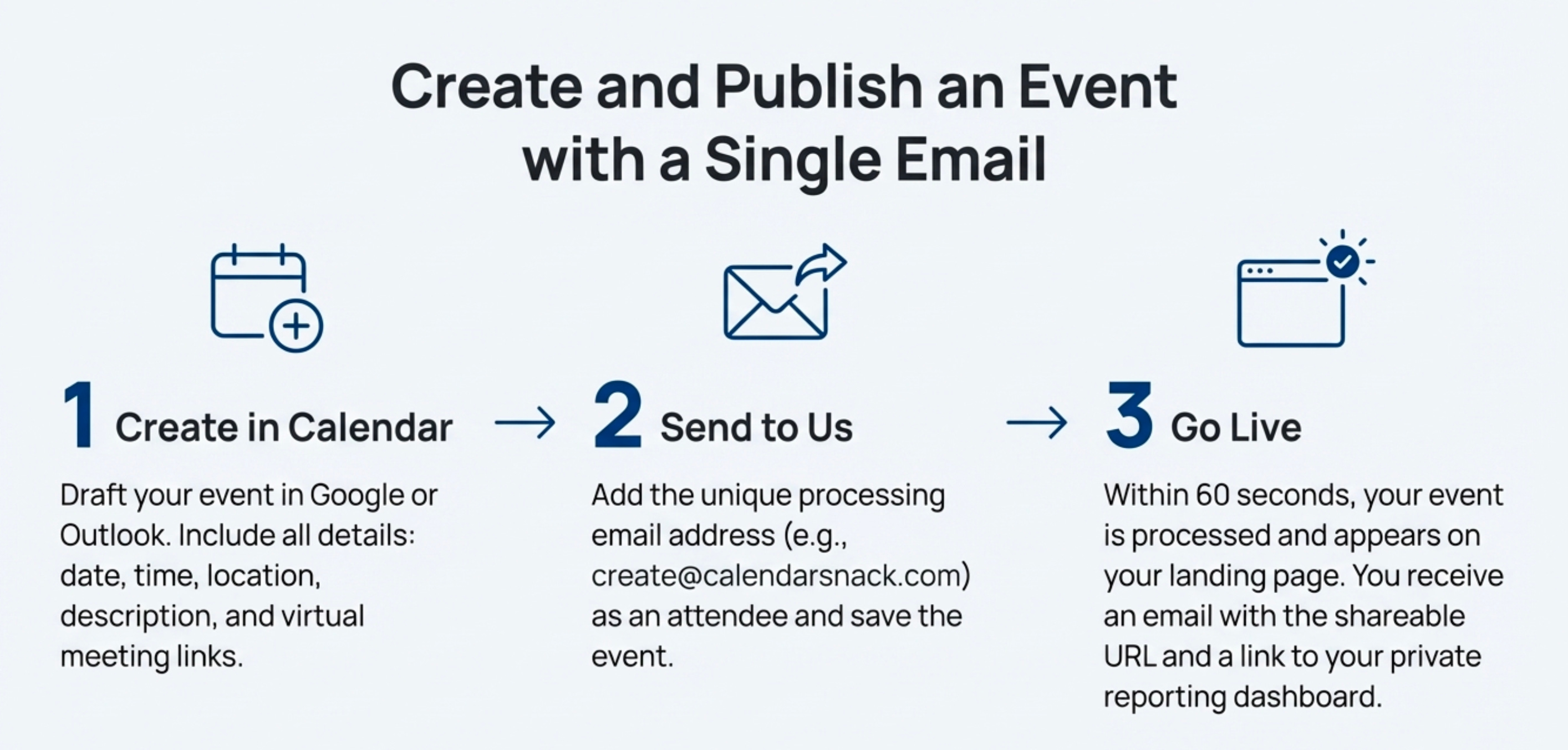
Within 60 seconds, the system automatically generates an “All-Events Landing Page” and sends an email notification back to the organizer containing the public URL and a private reporting page.
From a strategic perspective, this is a game-changer for all types of organizers attempting to publish events them selves and deliver “butts in seats” through RSVP’s.
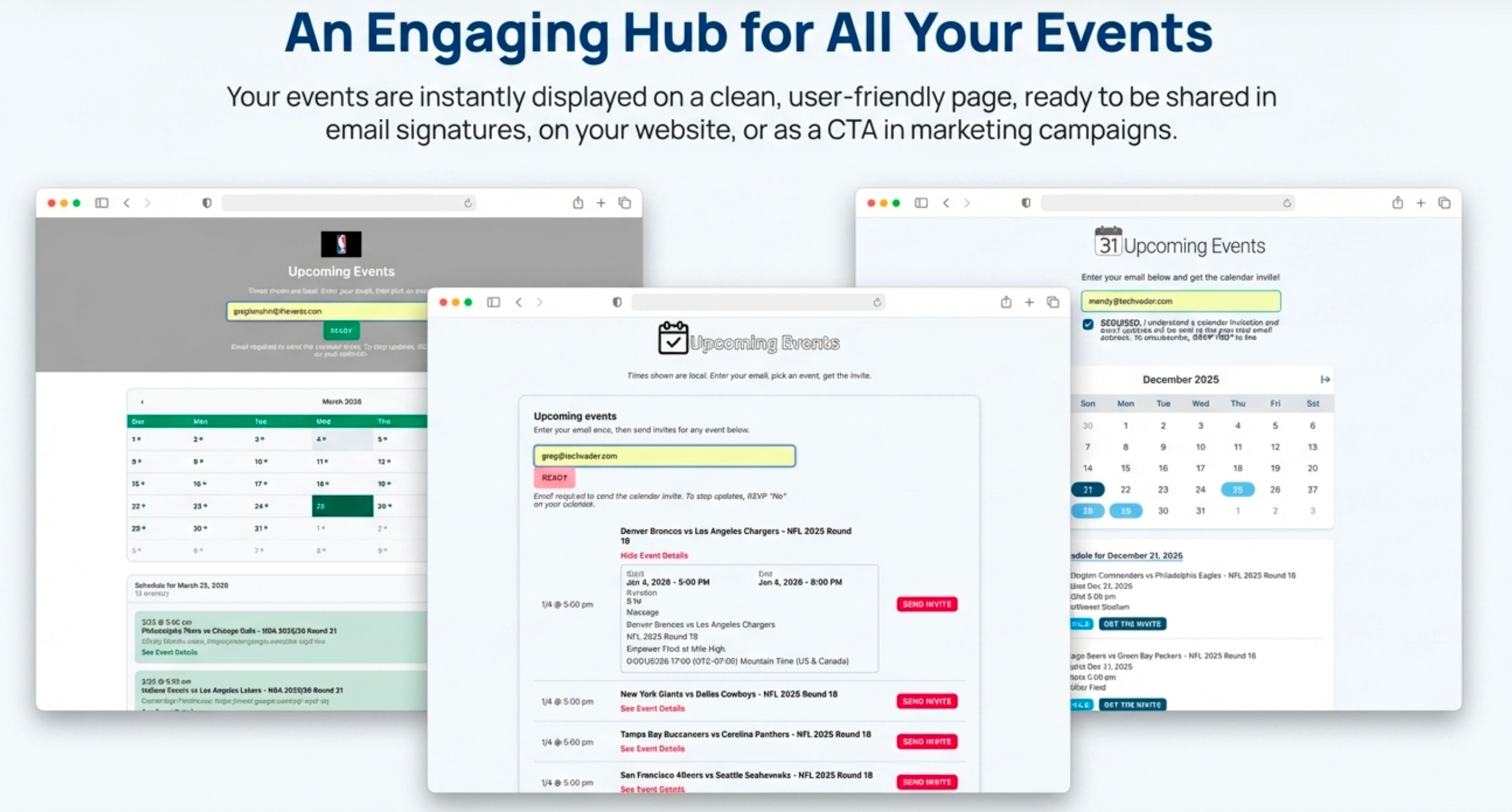
It completely removes the technical barriers, design overhead, and time-consuming work of building event pages, making the process of going live with a promotional asset almost frictionless.
2. Your Calendar Becomes the Command Center (No New Software to Learn).
The system operates on a fundamental principle: the organizer’s personal calendar is the single source of truth and control.
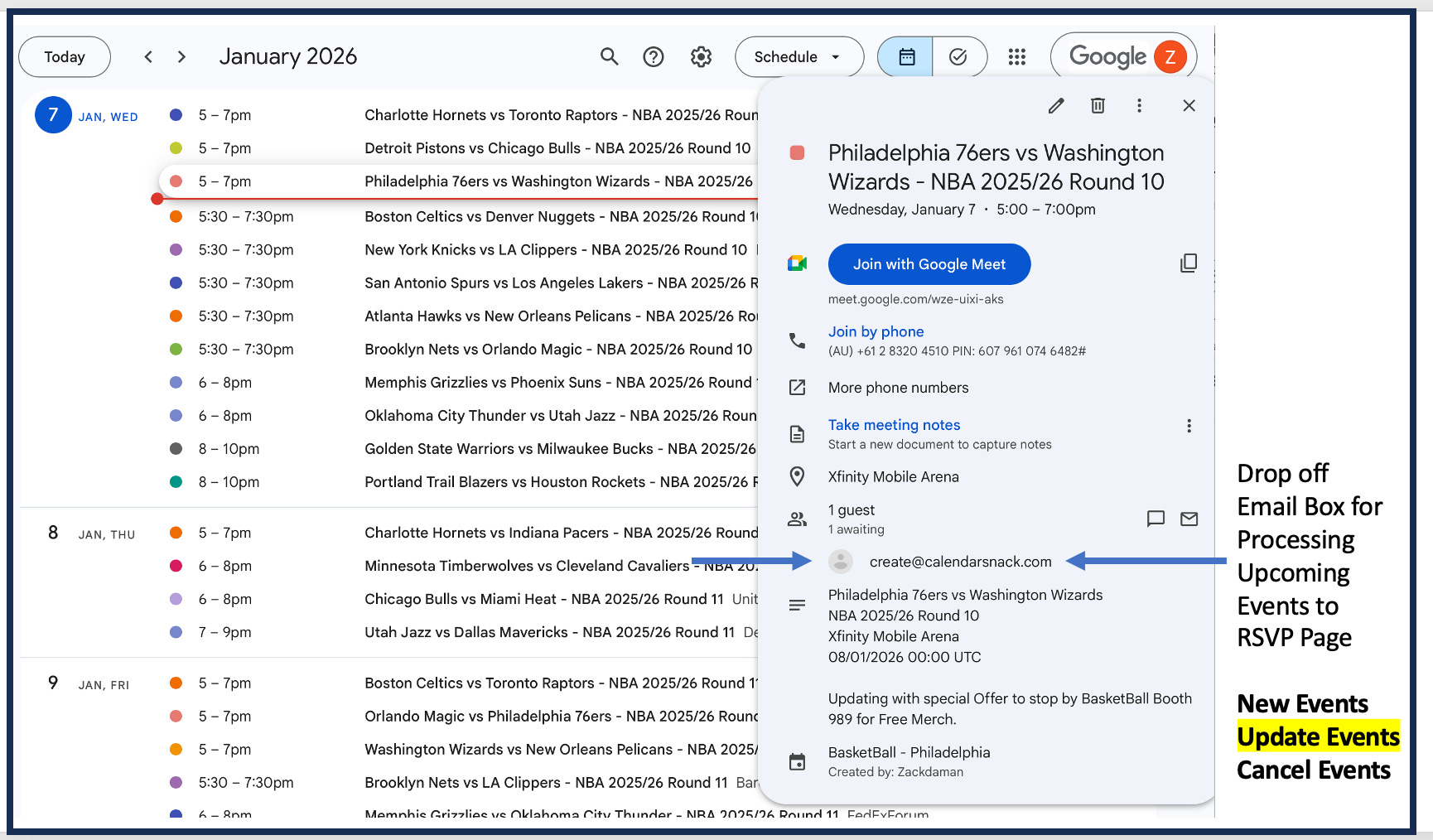
To update event details—specifically the date, time, location, message body, and Google or Outlook Meet information—the organizer simply edits the event in their own calendar client and saves it.
The public-facing landing page updates automatically.
See NBA DEMO Calendar here created with calendarsnack. https://tinyurl.com/2w2c7heb
This workflow leverages existing tools and habits, which provides a significant business advantage. It drastically reduces training cos
ts and accelerates user adoption because there is no new interface to learn.
Furthermore, it eliminates “context switching”—the productivity-killing act of toggling between multiple applications—by integrating event management directly into the daily workflow of the calendar.
The organizer’s Calendar becomes the command center to visualize all the events to organize.
3. It Solves the “Did You Get My Invite?” Black Hole.
A common source of anxiety for event organizers is the uncertainty of whether an invite was received, seen, or acted upon.
This system eradicates that uncertainty by shifting the point of action. Instead of the organizer pushing an invite into the void, the attendee actively pulls the invite into their calendar by entering their email and clicking to receive it.
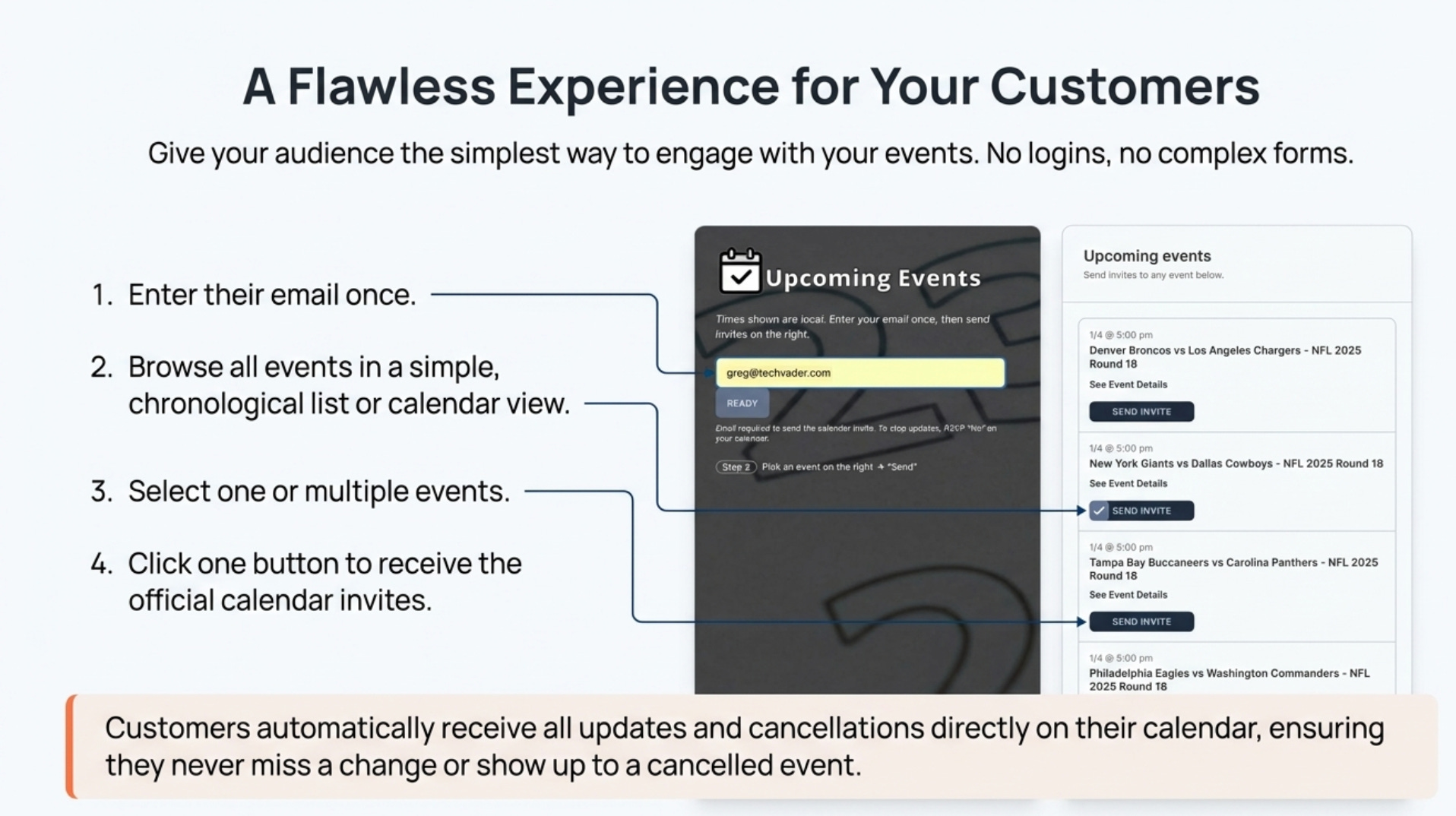
This user-initiated action guarantees the organizer has the correct contact information and confirms the attendee’s interest.
Crucially, every invite is tracked because each calendar invite sent has a UID that is tracked. The organizer’s private reporting page provides detailed analytics on each invitation, including:
The exact time the invite was clicked.
The recipient’s calendar client (e.g., Google, Microsoft).
Their RSVP status: Yes, No, or Maybe.
Email address used
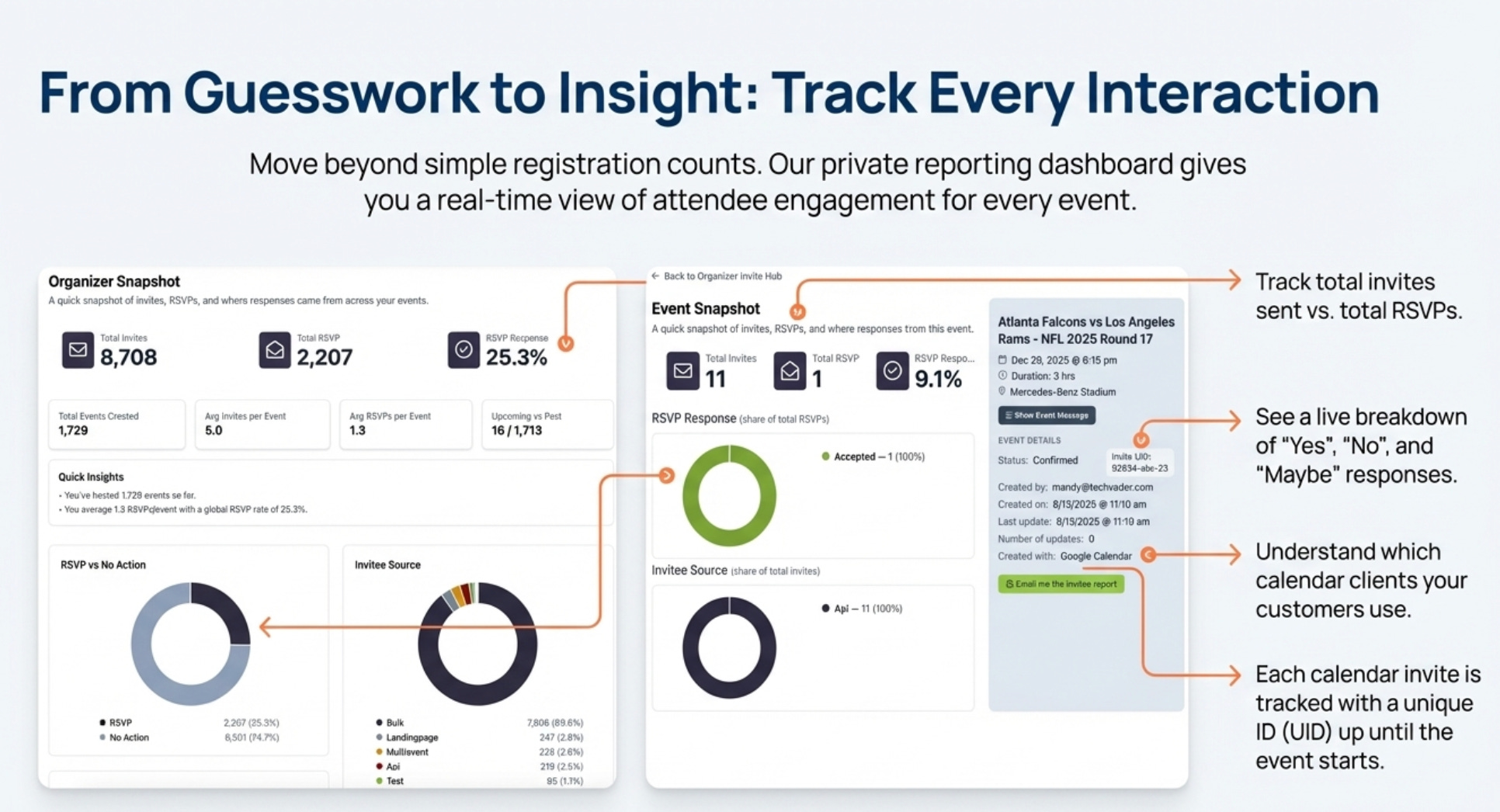
The RSVP status is dynamic. If a customer changes their response from “Maybe” to “Yes” days later, that information is automatically updated in the organizer’s report, providing a real-time view of attendance.
4. Event Communication Becomes an Automated Two-Way Street.
This system transforms event updates from a logistical chore into a strategic marketing touchpoint. While it automates standard communications, it also opens a channel for proactive engagement. Organizers can update an event’s message body to include promotional offers, QR codes, or other time-sensitive calls to action to entice customer engagement.
Event Updates: If an organizer modifies an event, an updated calendar invite is automatically re-sent to every person who has already responded with “Yes” or “Maybe.”
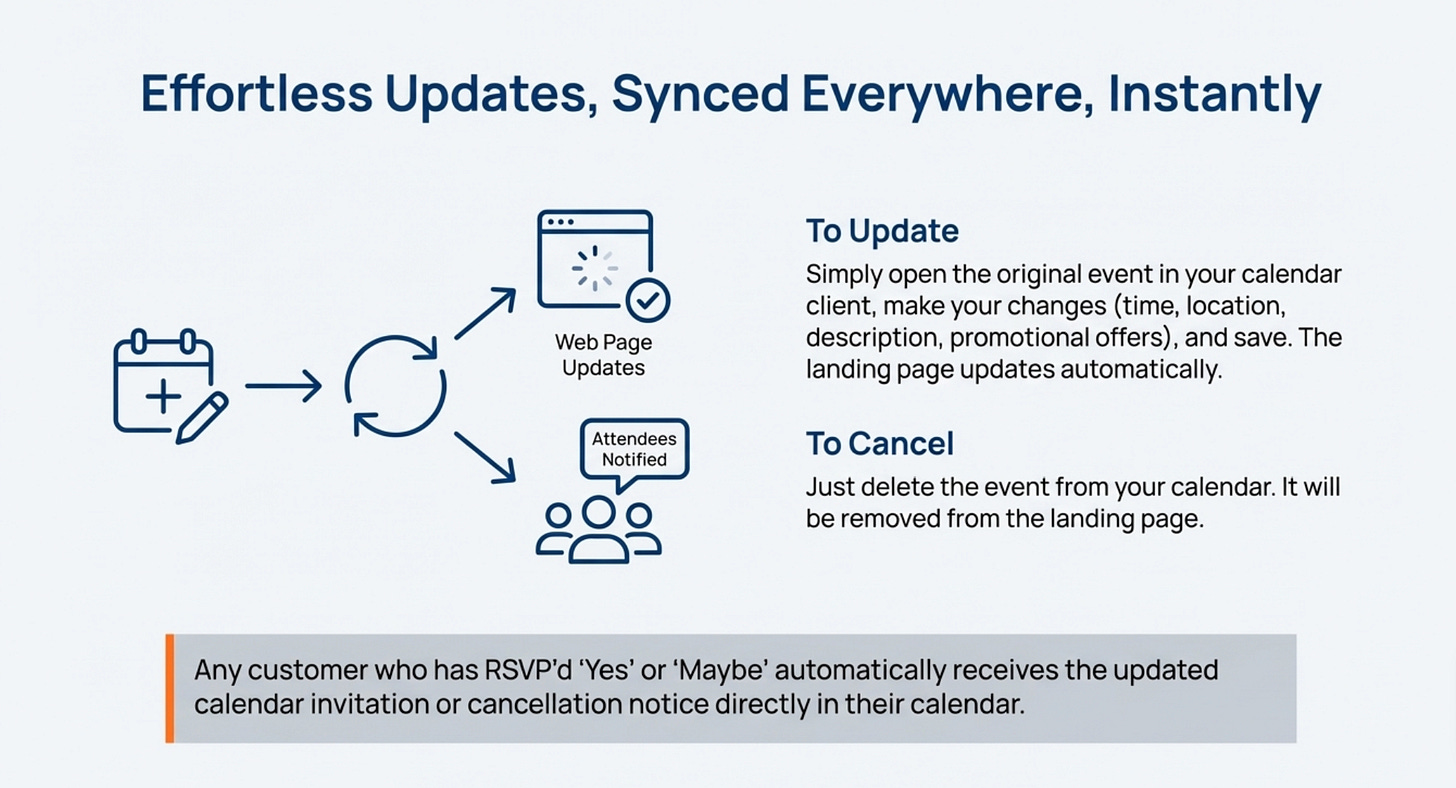
Event Cancellations: If the organizer cancels the event in their calendar, the event is immediately removed from the public landing page. Simultaneously, anyone who received the invite gets a direct cancellation notice that automatically removes the event from their Google or Microsoft calendar.
This automation creates a reliable, closed-loop communication channel that eliminates manual follow-up and ensures attendees always have the most current information.
5. It’s a Go-To-Market Tool in Disguise.
The “All Events” landing page is more than just a list; it is a reusable and standardized go-to-market solution. Because it’s a simple, shareable URL, it can be deployed across multiple marketing channels to drive engagement. Specific use cases include:
Embedding it in employee email signatures.
Featuring it on company websites.
Using it as the primary Call-to-Action (CTA) button in email campaigns through services like MailChimp.
Enabling viral sharing, as customers can forward the page in email and SMS for 1-click calendar invites.
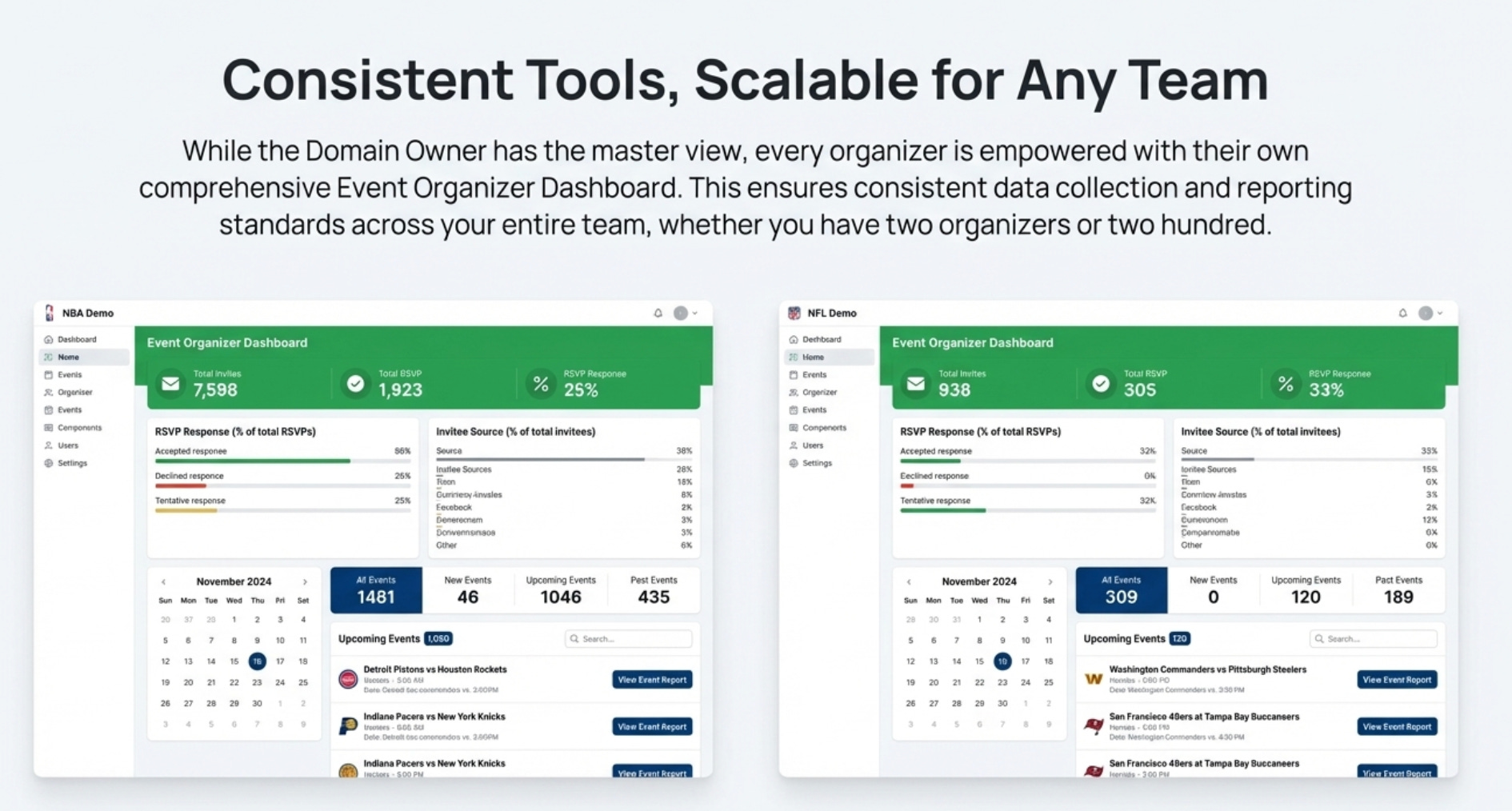
From an enterprise perspective, the system is built to scale. A master reporting console for a “domain owner” provides a top-level view of all event marketing activities across the company.
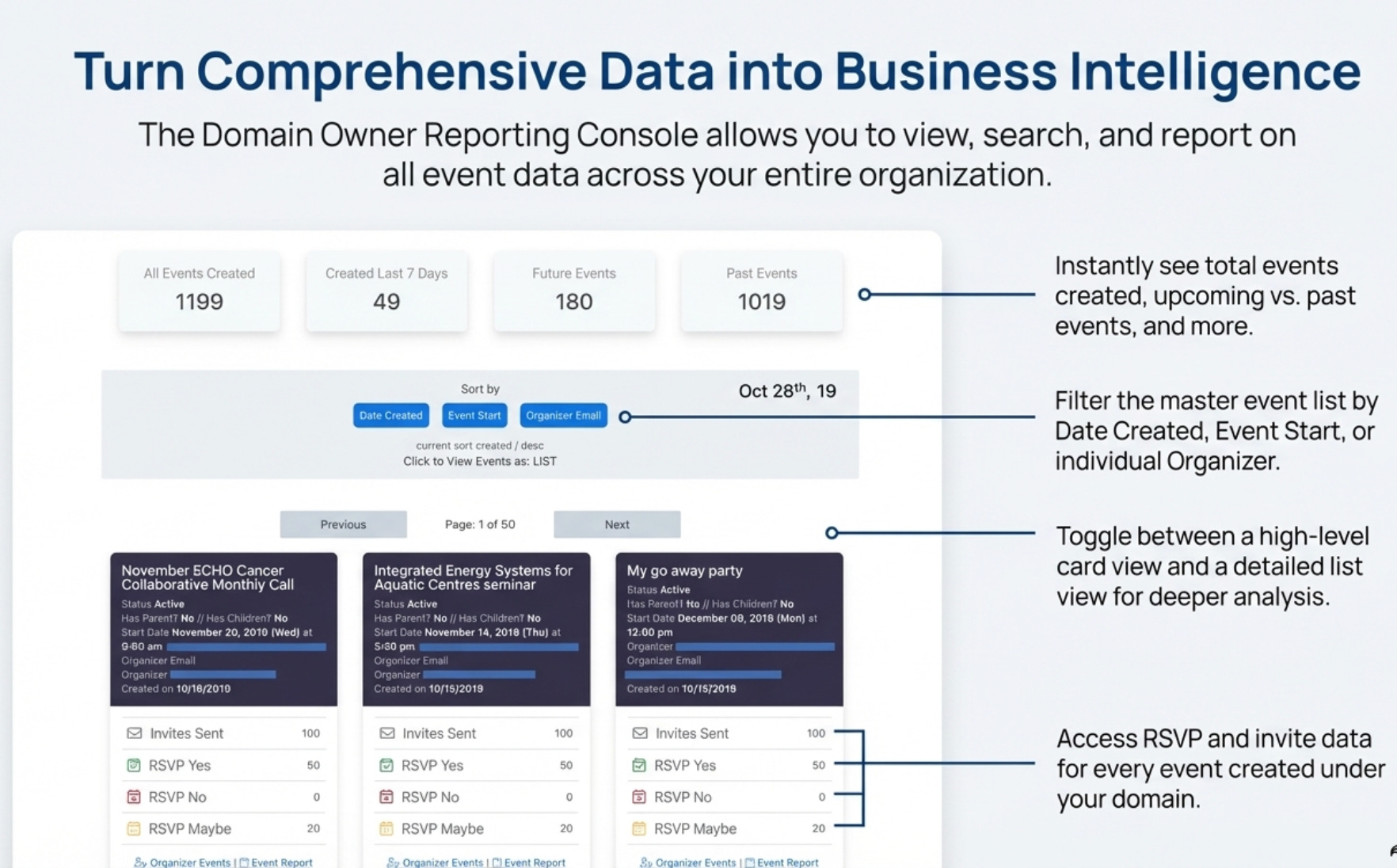
This allows a manager to see aggregated data on invites, RSVPs, and engagement from multiple organizers, turning disconnected individual efforts into a cohesive, measurable, and company-wide campaign.
Conclusion: Rethinking Your Everyday Tools
The true power of this system lies in its ability to add a layer of sophisticated automation and analytics to a universal business tool—the calendar invite.
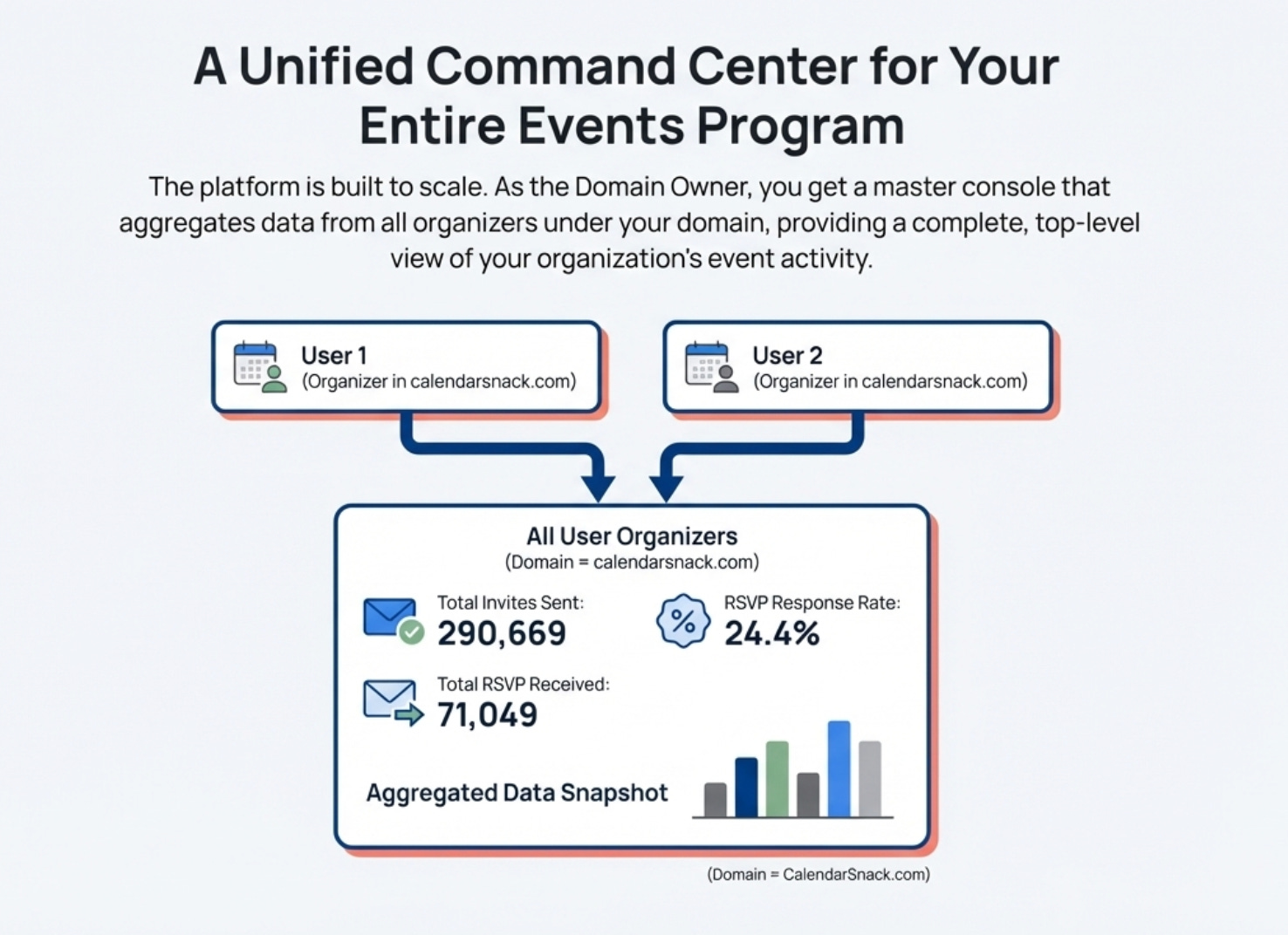
By making an existing workflow smarter, it creates a powerful platform for event marketing, communication, and data analysis without introducing a steep learning curve.
It proves that significant gains in productivity and effectiveness don’t always require new software, but rather a new way of looking at the tools we already use.
In this case there are 1 Billion Calendar Clients that could use this workflow.
The design of the system can be reviewed here and is ready for install in any AWS account in 30 minutes for the domain owner.
https://github.com/calendarinvite/calendarinviteserver/wiki/AWS-Calendar-Invite-Server-%E2%80%90HLD


