1. Generate a Live Events Page Instantly
The core concept is surprisingly simple and powerful.
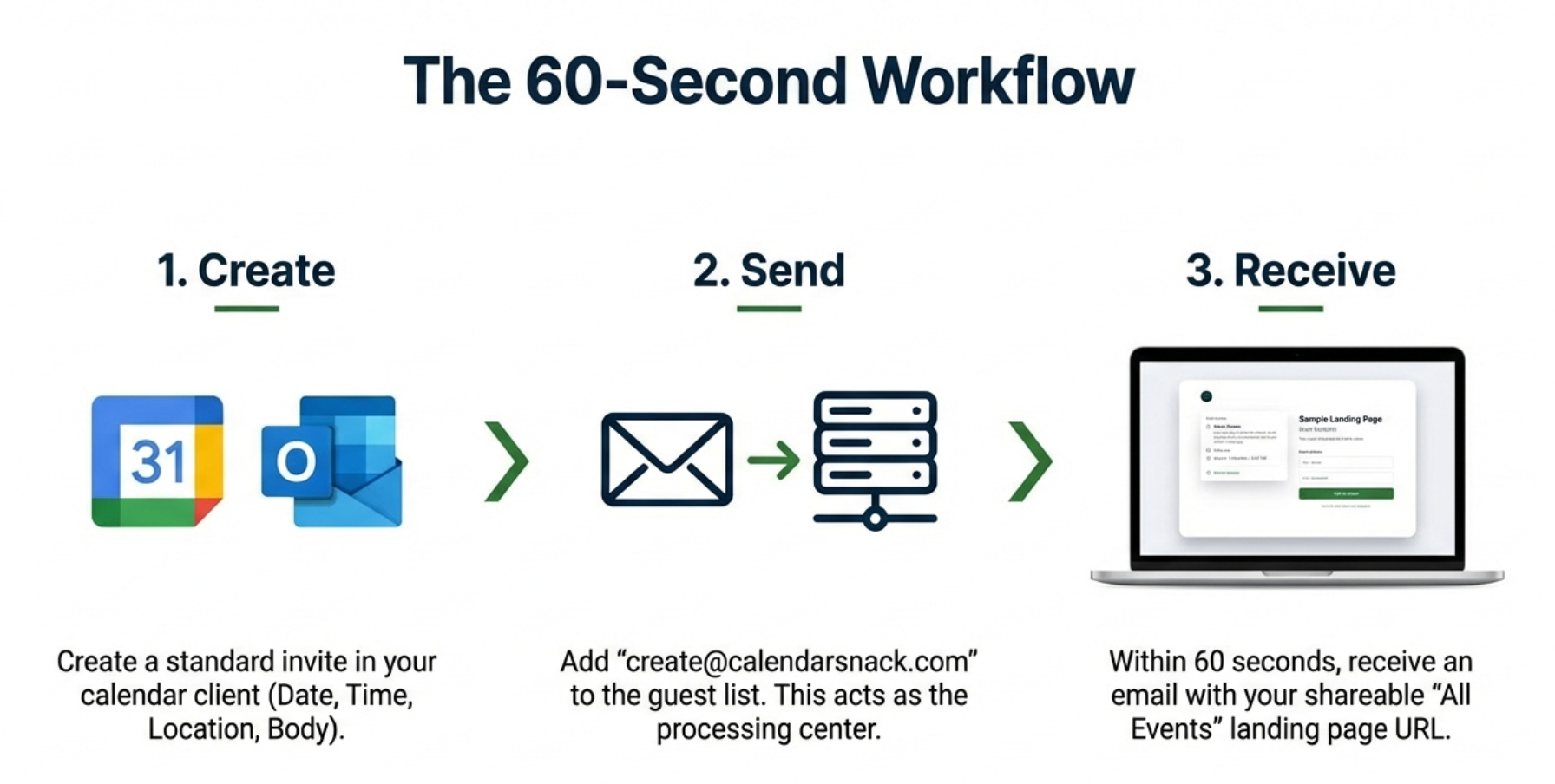
An organizer starts by creating an event in their standard Google or Outlook calendar, filling in the title, date, time, location, and description just as they normally would.
Instead of inviting attendees directly, they send the single calendar invitation to a specific, designated email address (for example, create@calendarsnack.com).
This system is built for scale, allowing a single organizer to process up to 2,000 individual events from their calendar client to the drop off email box.
Within 60 seconds, the system processes the event and sends an email back to the organizer. This email contains a link to a fully functional, shareable All-Events Landing Page and a private link dashboard for All Events Reporting.
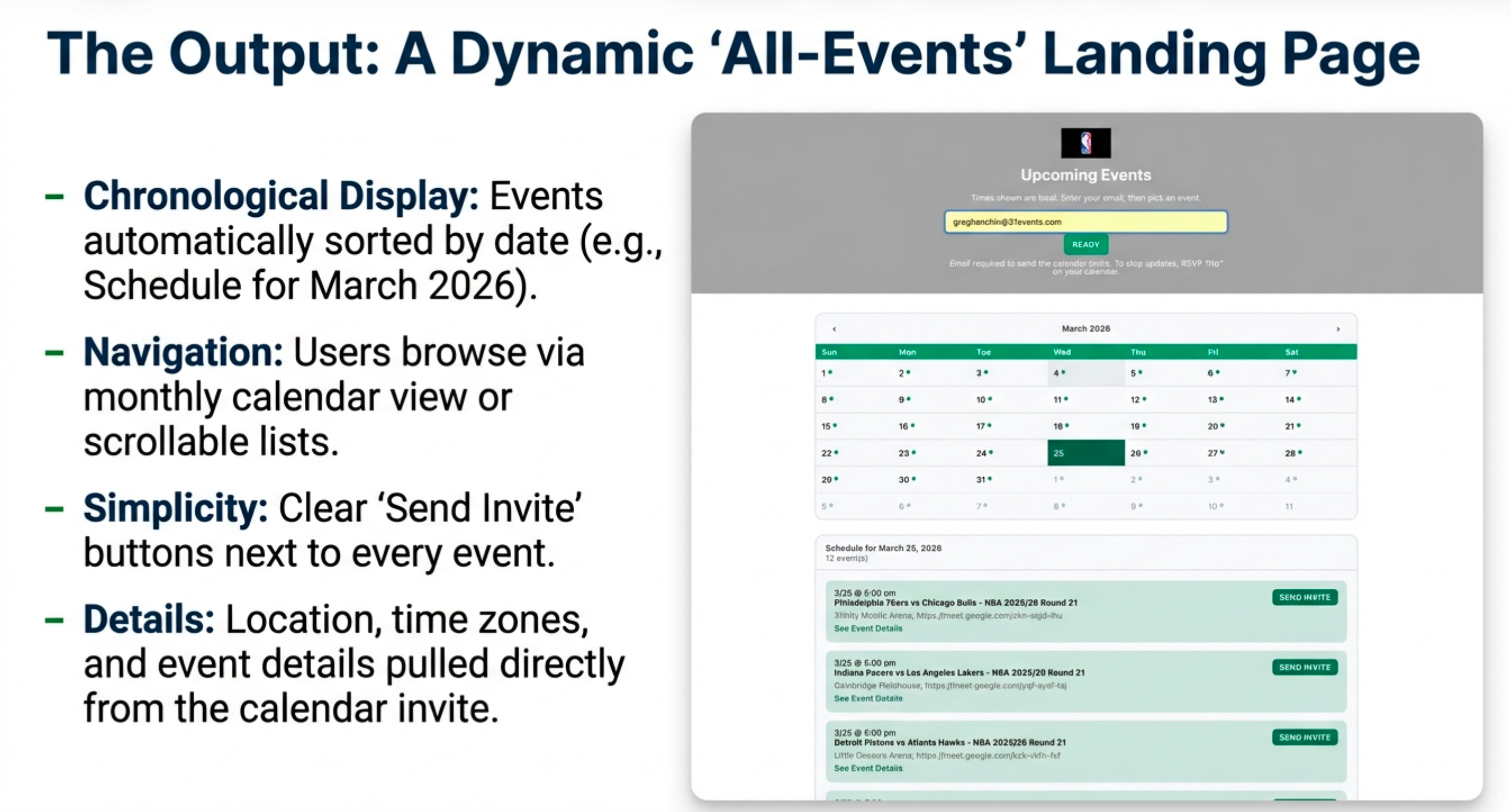
This page automatically lists all of the organizer’s future events.
Depending on the use case—whether a few corporate webinars or an entire NBA season—the layout can be a chronological list with a “load more events” button or a full monthly calendar view.
Each entry includes collapsible buttons for event details, and positioned right at the top of the page is an email capture box, making it immediately clear how visitors can engage.
2. Your Calendar Becomes the Single Source of Truth
One of the most significant workflow benefits is the elimination of a separate management platform. There is no new software to learn and no external dashboard to log into for managing event details. This “zero-lift” workflow makes your native calendar client the central control panel for everything.
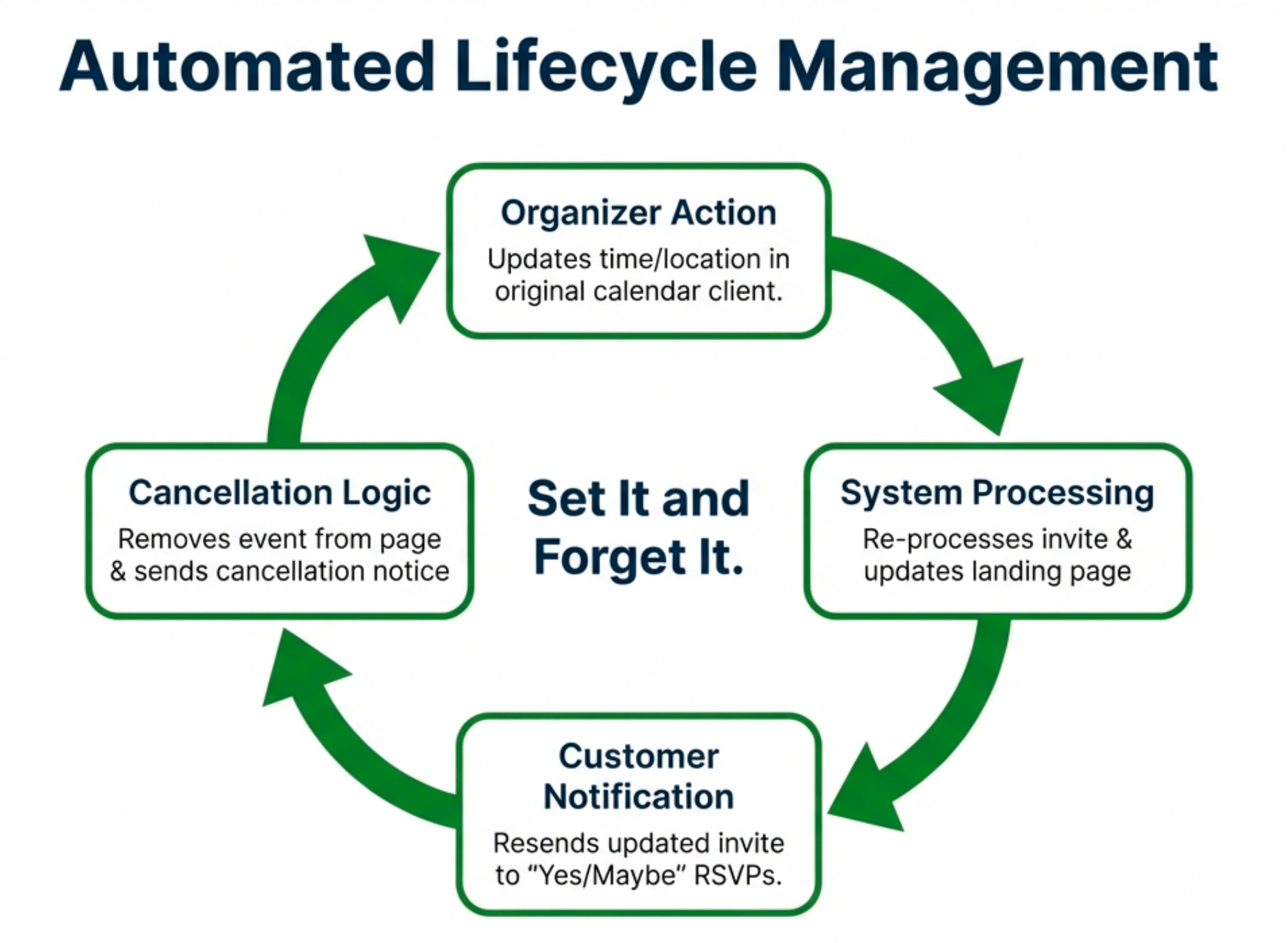
This principle extends to all event management tasks:
Updating an Event: If an organizer needs to change the date, time, or location, they simply edit the event in their own calendar and save it. Crucially, this extends to strategic marketing. An organizer can update the event description to include a “promotional offer to entice the customer to engage, based on timelines or specific times within the promotion window.” The system automatically updates the landing page and sends a revised calendar invitation to everyone who had already responded “Yes” or “Maybe.”
Canceling an Event: Similarly, if an event is canceled, the organizer just deletes it from their calendar client. The event is automatically removed from the public landing page, and anyone who had received an invite is sent a formal cancellation notification that removes the event from their calendar.
3. Give Your Audience a One-Click Path to Their Calendar
The experience for your audience is designed for simplicity and to eliminate friction. When a potential attendee visits the “All-Events Landing Page,” they can browse the list of upcoming events.
To register, they enter their email address once in the box at the top of the page. After that, they can request an invite for a single event or select multiple events in the same session, clicking the “Send Invite” button next to each one that interests them. This single click sends the official calendar invitation directly to their inbox and places it on their calendar, solving the chronic problem of users seeing an event but forgetting to manually add it to their schedule.
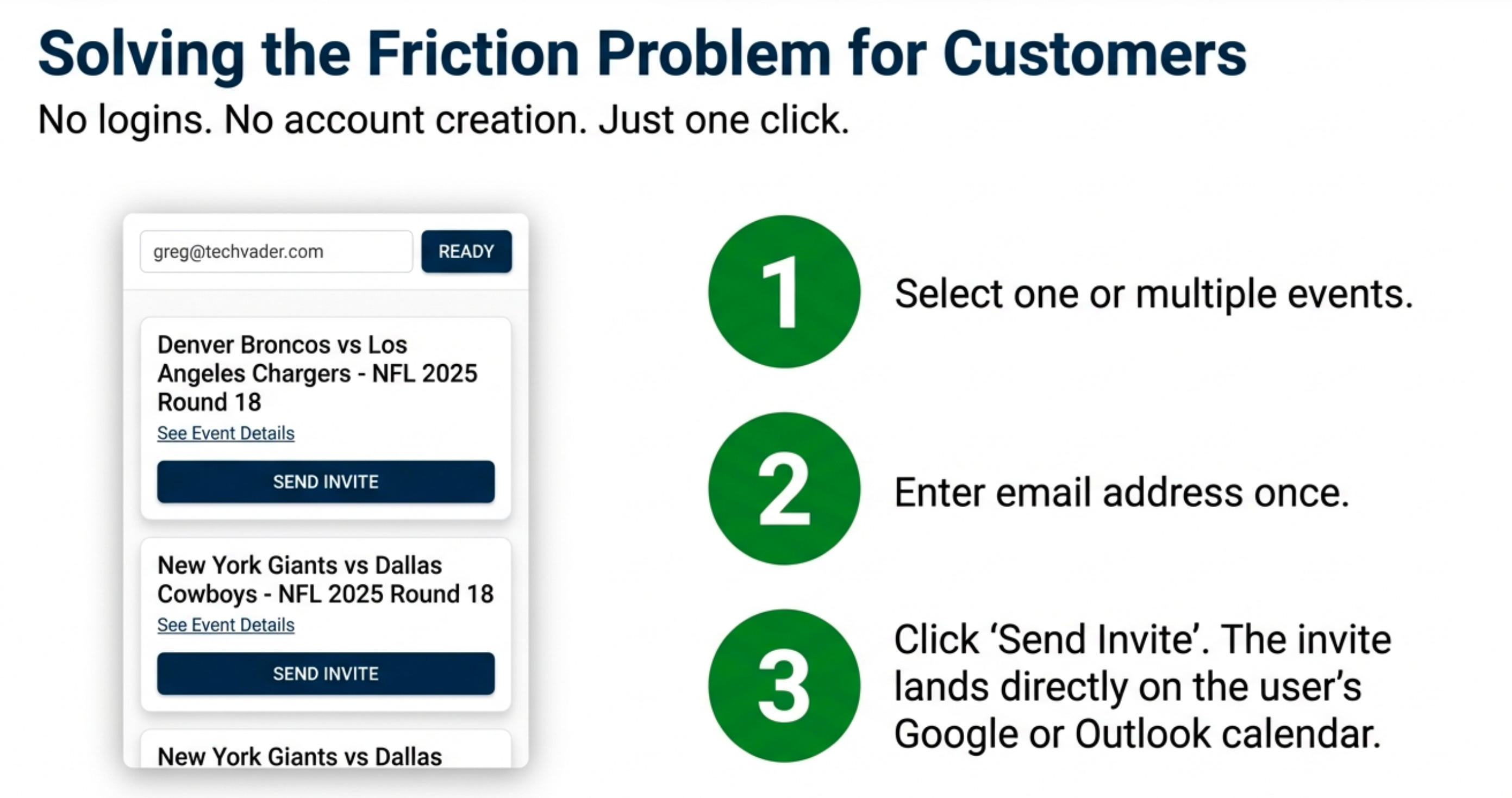
This process provides certainty for the organizer and convenience for the attendee.
For the Organizer, they know the calendar invite went directly to the customer’s email and to their calendar, since the customer has to enter the correct email address, select the event, or events, and click the button to send the calendar invite for that particular event.
4. Turn Every Invite Into a Trackable Data Point
Unlike a standard email invitation, which offers no feedback, every invite sent through this system is a trackable asset since it’s talking the IETF specification for crating, sending, updating and tracking calendar invites.
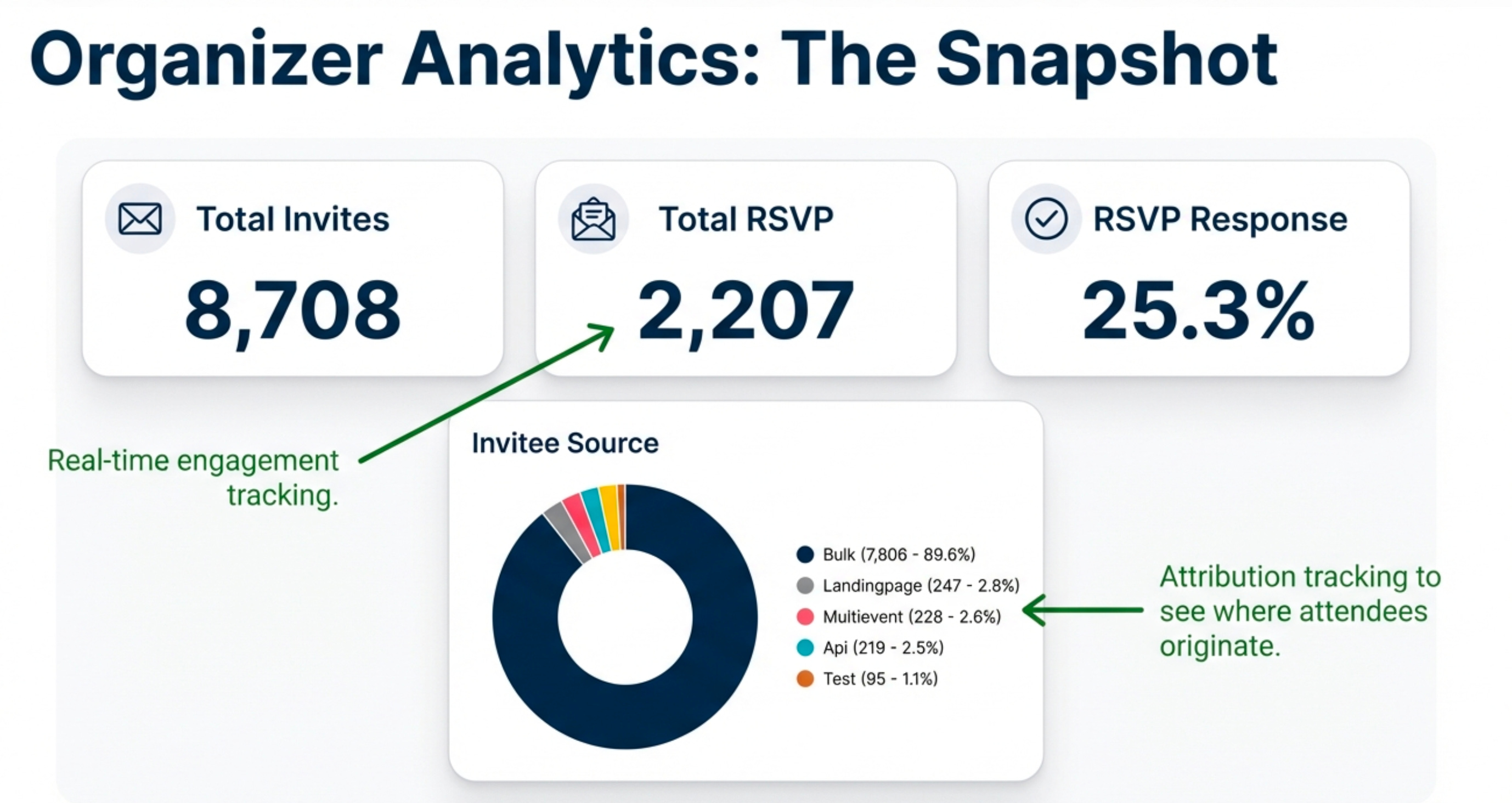
Each invitation is assigned a unique ID (UID), allowing the organizer to see detailed analytics on a private reporting page. The analytics hierarchy provides multiple layers of insight, starting with the organizer’s view.
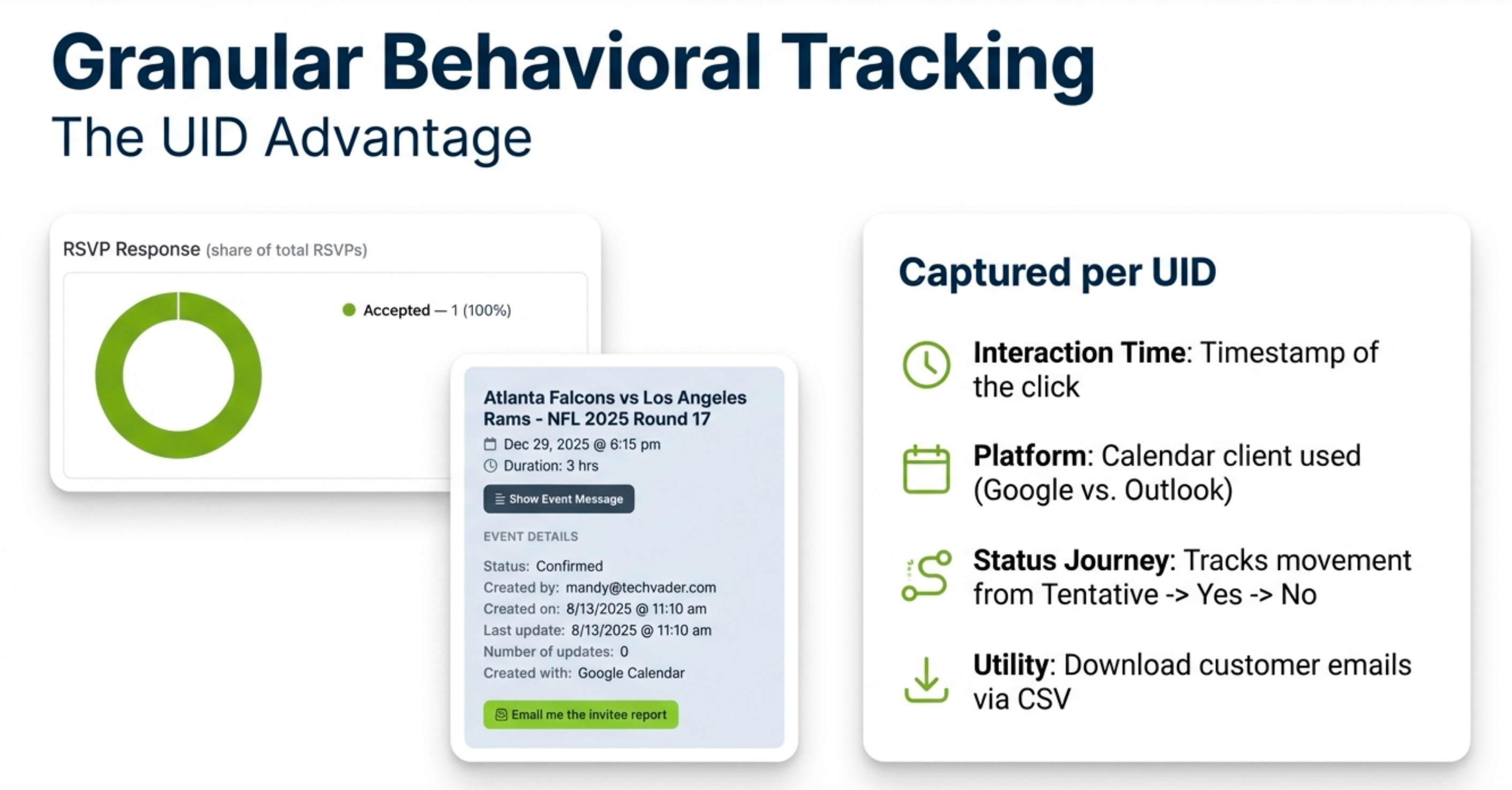
From their dashboard, an organizer can view per-event snapshots or an aggregate of all their events, with key metrics including Total Invites Sent, Total RSVPs, and RSVP Response Rate. More importantly, the system captures granular engagement data that is invisible with standard invites. For each invite, you can see:
The exact time the invite was clicked.
The recipient’s calendar client (e.g., Google, Outlook).
Which specific button they clicked for their Yes, No, or Maybe response.
This tracking is not a one-time snapshot. The data is continuous; if a customer accepts an invitation and later changes their status to “No” before the event, the organizer’s report is updated in real-time. For marketing operations, organizers can also export customer email signups in a .CVS format directly from their reporting page.
5. It’s a Go-to-Market Tool, Not Just a Utility
When the efficiency of a single source of truth and the power of granular tracking are scaled across an entire organization, the calendar transforms from a personal utility into a centralized, measurable marketing channel.
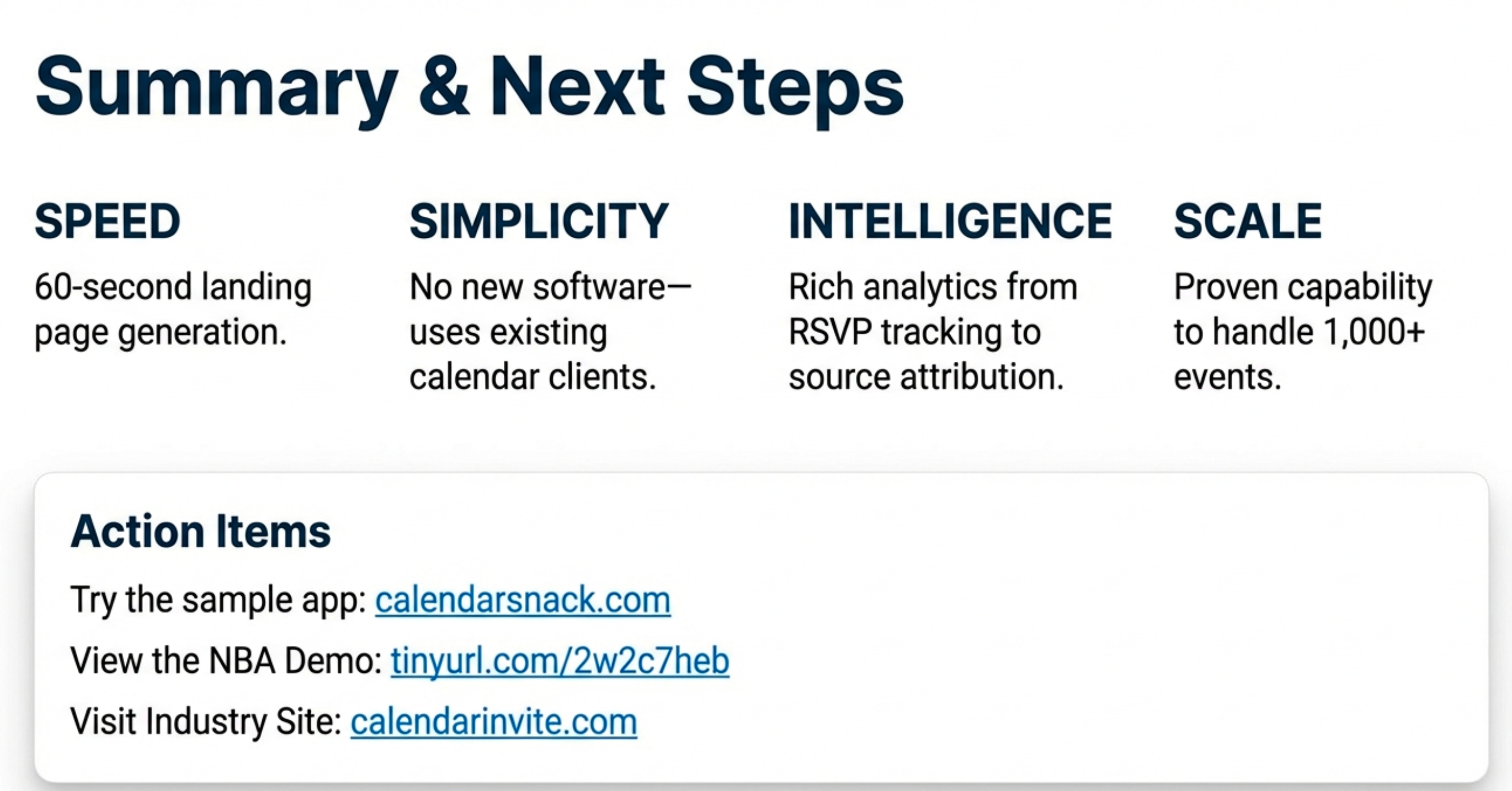
The shareable “All Events” page becomes a powerful, central call-to-action (CTA) that can be deployed across all marketing channels. Teams can embed this single link in employee email signatures, on company websites, or as the primary CTA in email marketing campaigns through services like MailChimp.
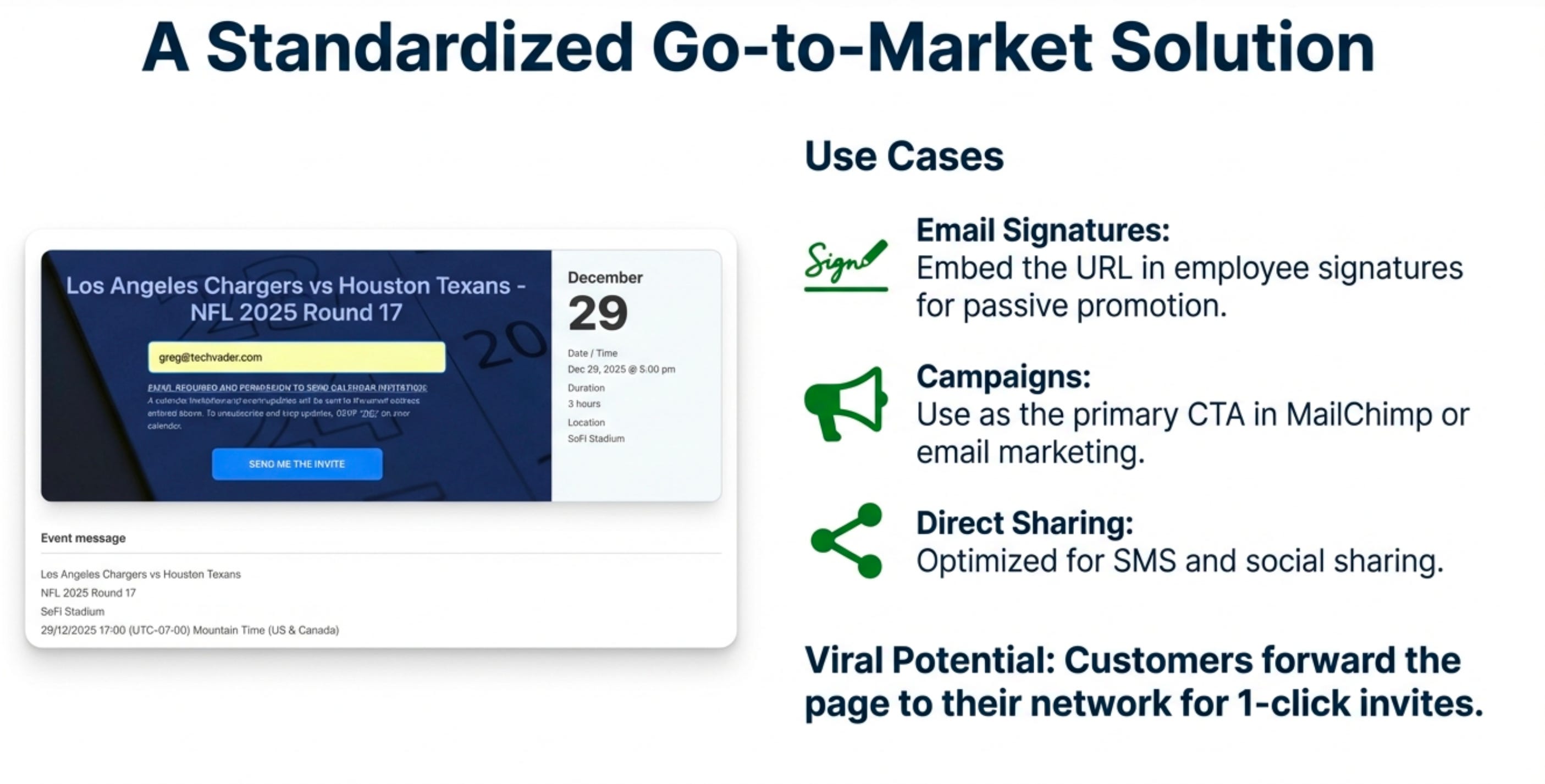
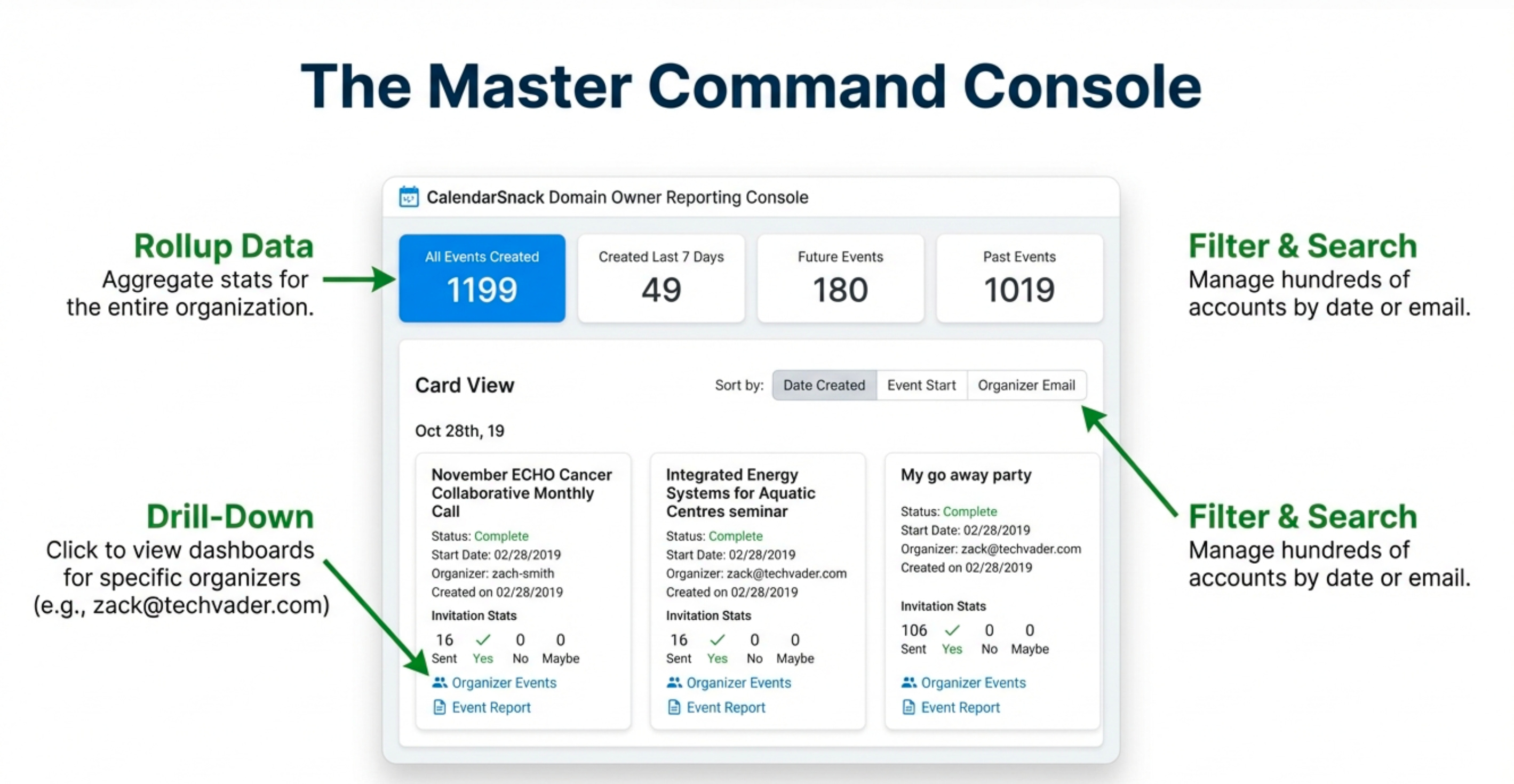
The platform is designed to scale with managerial oversight. A designated “domain owner” can access a master console that summarizes data from all individual organizers across the company. This provides a high-level view of all event marketing efforts, with the ability to toggle data views, sort all events by Date Created, Event Start, or Organizer Email, and drill down into the specific reports of any individual organizer. This turns scattered event activity into a coherent, analyzable company-wide program.
.
Conclusion: